.png)

Illumio Check Point 통합 개요 영상
Illumio Insights에서 수평 이동 위험을 식별하는 방법과 IllumioLabels를 Check Point로 가져와 라벨 기반 정책을 구축하는 방법을 알아보세요.
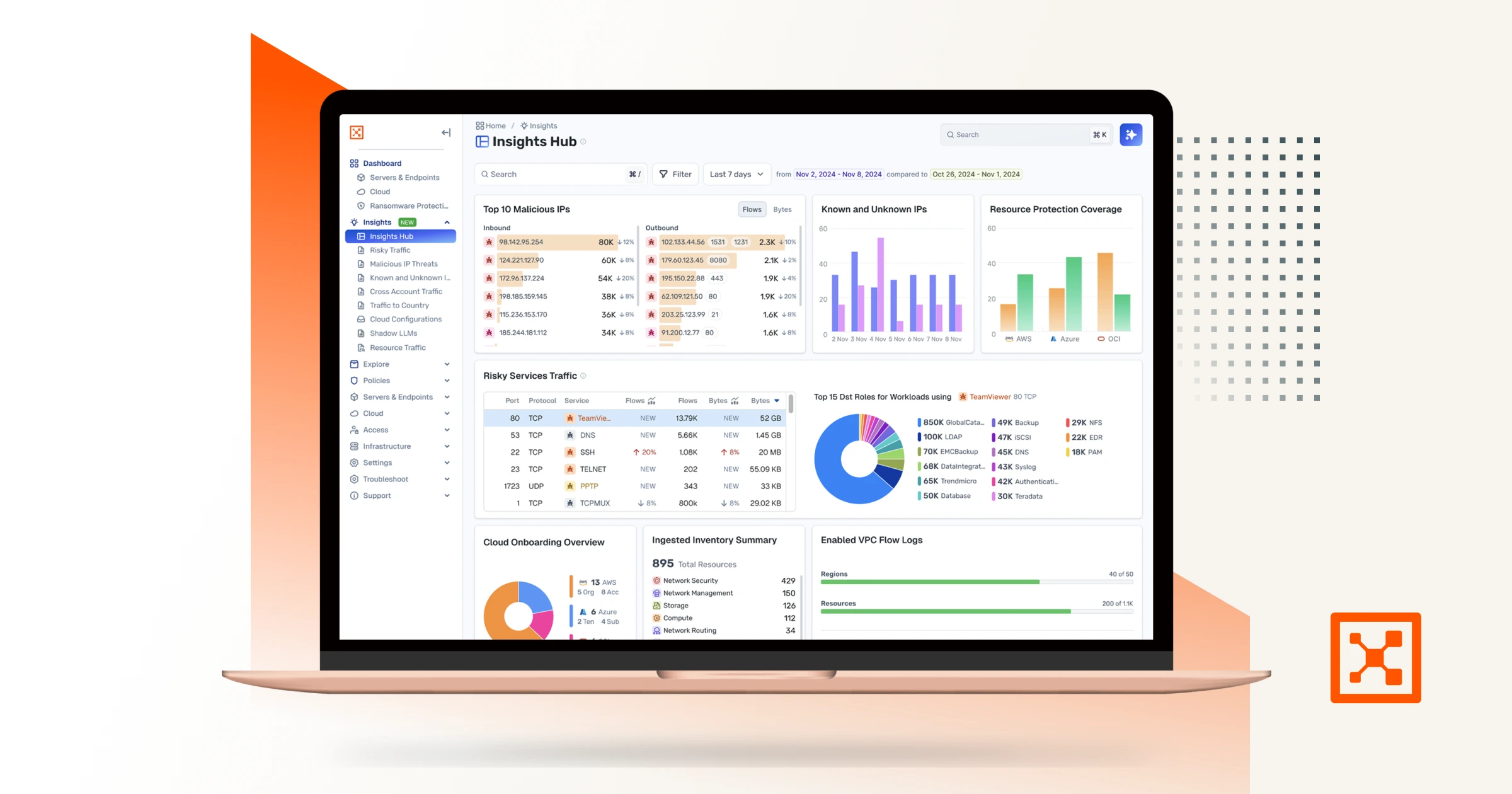
Checkpoint and Illumio. Unified zero trust across the hybrid mesh. Here's a quick overview of the challenge and value of the joint solution, how the integration works, how to set it up, and what you can do with it. Attackers don't stop at the perimeter. They move laterally, east to west, across your hybrid mesh. Perimeter firewalls watch north south traffic. The lateral spread happens in the blind spots. That's why Illumio and Checkpoint have teamed up to combine macro and micro segmentation. The integration consists of three independent flows. In the first, Checkpoint logs stream into Illumio's AI security graph through the log exporter. In the second, the API connector ingests policy context from Checkpoint. Finally, on the Checkpoint side, connect to the Illumio segmentation API by adding a new data center. Now Illumio's labels flow into Checkpoint through the data center connector. One label based policy model across both platforms. Start off by setting up the log exporter within Illumio. Exchange certificates for the MTLS tunnel. Then point Checkpoint Syslog at Illumio, which is CEF over TCP port five fourteen. To unlock policy context, return to settings, connectors, and add the API connector. Currently, Illumio connects to the Checkpoint Management API through the Checkpoint Infinity portal only. Direct connectivity to an on premises Checkpoint Management Server is on our roadmap and will be available in a future release. Now Illumio has full context to build firewall insights. Now let's see how we benefit from the integration. Navigate to Firewall Insights and filter to Checkpoint. Every session your gateway's logged is contextualized. For example, risky services, top traffic, and the rules carrying it. Click into any rule to see exactly what it's permitting. The real flows, sources, destinations, and services behind it. Open the traffic map for the lateral picture. Who's talking to whom across the environment, so you know where to tighten policy. Now let's leverage Illumio labels to build label based policy within Checkpoint inside Smart Console. Once configured, Illumio appears as a data center right in the Checkpoint object picker. Browse Illumio's labels, app, environment, location, role, and its workloads right from the rule base. Pick a label, app equals demo, and drop it straight into the rule as a source or destination. The label resolves live workload IPs from Illumio, so enforcement follows the workload and policy never drifts. Now you've achieved complete segmentation, both macro and micro segmentation. Onboard in minutes, and you've got prevention, containment, detection, and response unified across the hybrid mesh. Checkpoint and Illumio, better together for complete visibility and control.
하이라이트
주요 장점
자산 미리보기
지금 다운로드
지금 보기





Checkpoint and Illumio. Unified zero trust across the hybrid mesh. Here's a quick overview of the challenge and value of the joint solution, how the integration works, how to set it up, and what you can do with it. Attackers don't stop at the perimeter. They move laterally, east to west, across your hybrid mesh. Perimeter firewalls watch north south traffic. The lateral spread happens in the blind spots. That's why Illumio and Checkpoint have teamed up to combine macro and micro segmentation. The integration consists of three independent flows. In the first, Checkpoint logs stream into Illumio's AI security graph through the log exporter. In the second, the API connector ingests policy context from Checkpoint. Finally, on the Checkpoint side, connect to the Illumio segmentation API by adding a new data center. Now Illumio's labels flow into Checkpoint through the data center connector. One label based policy model across both platforms. Start off by setting up the log exporter within Illumio. Exchange certificates for the MTLS tunnel. Then point Checkpoint Syslog at Illumio, which is CEF over TCP port five fourteen. To unlock policy context, return to settings, connectors, and add the API connector. Currently, Illumio connects to the Checkpoint Management API through the Checkpoint Infinity portal only. Direct connectivity to an on premises Checkpoint Management Server is on our roadmap and will be available in a future release. Now Illumio has full context to build firewall insights. Now let's see how we benefit from the integration. Navigate to Firewall Insights and filter to Checkpoint. Every session your gateway's logged is contextualized. For example, risky services, top traffic, and the rules carrying it. Click into any rule to see exactly what it's permitting. The real flows, sources, destinations, and services behind it. Open the traffic map for the lateral picture. Who's talking to whom across the environment, so you know where to tighten policy. Now let's leverage Illumio labels to build label based policy within Checkpoint inside Smart Console. Once configured, Illumio appears as a data center right in the Checkpoint object picker. Browse Illumio's labels, app, environment, location, role, and its workloads right from the rule base. Pick a label, app equals demo, and drop it straight into the rule as a source or destination. The label resolves live workload IPs from Illumio, so enforcement follows the workload and policy never drifts. Now you've achieved complete segmentation, both macro and micro segmentation. Onboard in minutes, and you've got prevention, containment, detection, and response unified across the hybrid mesh. Checkpoint and Illumio, better together for complete visibility and control.
지금 다운로드
지금 보기


Checkpoint and Illumio. Unified zero trust across the hybrid mesh. Here's a quick overview of the challenge and value of the joint solution, how the integration works, how to set it up, and what you can do with it. Attackers don't stop at the perimeter. They move laterally, east to west, across your hybrid mesh. Perimeter firewalls watch north south traffic. The lateral spread happens in the blind spots. That's why Illumio and Checkpoint have teamed up to combine macro and micro segmentation. The integration consists of three independent flows. In the first, Checkpoint logs stream into Illumio's AI security graph through the log exporter. In the second, the API connector ingests policy context from Checkpoint. Finally, on the Checkpoint side, connect to the Illumio segmentation API by adding a new data center. Now Illumio's labels flow into Checkpoint through the data center connector. One label based policy model across both platforms. Start off by setting up the log exporter within Illumio. Exchange certificates for the MTLS tunnel. Then point Checkpoint Syslog at Illumio, which is CEF over TCP port five fourteen. To unlock policy context, return to settings, connectors, and add the API connector. Currently, Illumio connects to the Checkpoint Management API through the Checkpoint Infinity portal only. Direct connectivity to an on premises Checkpoint Management Server is on our roadmap and will be available in a future release. Now Illumio has full context to build firewall insights. Now let's see how we benefit from the integration. Navigate to Firewall Insights and filter to Checkpoint. Every session your gateway's logged is contextualized. For example, risky services, top traffic, and the rules carrying it. Click into any rule to see exactly what it's permitting. The real flows, sources, destinations, and services behind it. Open the traffic map for the lateral picture. Who's talking to whom across the environment, so you know where to tighten policy. Now let's leverage Illumio labels to build label based policy within Checkpoint inside Smart Console. Once configured, Illumio appears as a data center right in the Checkpoint object picker. Browse Illumio's labels, app, environment, location, role, and its workloads right from the rule base. Pick a label, app equals demo, and drop it straight into the rule as a source or destination. The label resolves live workload IPs from Illumio, so enforcement follows the workload and policy never drifts. Now you've achieved complete segmentation, both macro and micro segmentation. Onboard in minutes, and you've got prevention, containment, detection, and response unified across the hybrid mesh. Checkpoint and Illumio, better together for complete visibility and control.





"Illumio의 이점을 바로 체감하기 시작했습니다. 우리는 환경에 대한 가시성을 확보하고 즉시 결정적인 조치를 취했습니다. 일루미오가 위험을 강조하고 정책을 제안하여 제로 트러스트 세분화를 간단하게 만들어주었기 때문에 이렇게 빠르게 움직일 수 있었습니다. 일루미오를 통해 단계별 접근 방식을 취하고 처음부터 가치를 실현할 수 있었습니다."
최고 정보 보안 책임자
Lion

"Illumio를 통해 서버 및 애플리케이션 트래픽에 대한 전례 없는 가시성을 확보하게 되었습니다. 데이터 센터를 보호하는 능력에 큰 변화를 가져오고 있습니다."
정보 기술 총괄 관리자
홍콩 전기

"랜섬웨어 공격의 공세로 인해 개방형 플랫폼에 기반한 엔드투엔드 가시성, 고급 분석 및 자동화된 조치가 필요하며, 이는 QRadar XDR의 설계 기반이 되는 기본 요소입니다. 일루미오와 같은 개방형 아키텍처와 세분화 플랫폼을 활용하여 고객이 랜섬웨어 및 기타 빠르게 변화하는 공격에 대한 조기 탐지, 오케스트레이션, 신속하고 자동화된 대응을 달성하도록 지원하는 QRadar XDR."
제품 관리 담당 부사장
IBM 보안

"Illumio를 통해 서버 및 애플리케이션 트래픽에 대한 전례 없는 가시성을 확보하게 되었습니다. 데이터 센터를 보호하는 능력에 큰 변화를 가져오고 있습니다."
정보 기술 총괄 관리자
홍콩 전기








제로 트러스트 세분화의 ROI: 복잡성 감소
일루미오의 최신 제로 트러스트 세분화는 기존의 네트워크 기반 세분화 접근 방식에서 발생하는 아키텍처 복잡성 문제를 획기적으로 줄여줍니다.

Checkpoint and Illumio. Unified zero trust across the hybrid mesh. Here's a quick overview of the challenge and value of the joint solution, how the integration works, how to set it up, and what you can do with it. Attackers don't stop at the perimeter. They move laterally, east to west, across your hybrid mesh. Perimeter firewalls watch north south traffic. The lateral spread happens in the blind spots. That's why Illumio and Checkpoint have teamed up to combine macro and micro segmentation. The integration consists of three independent flows. In the first, Checkpoint logs stream into Illumio's AI security graph through the log exporter. In the second, the API connector ingests policy context from Checkpoint. Finally, on the Checkpoint side, connect to the Illumio segmentation API by adding a new data center. Now Illumio's labels flow into Checkpoint through the data center connector. One label based policy model across both platforms. Start off by setting up the log exporter within Illumio. Exchange certificates for the MTLS tunnel. Then point Checkpoint Syslog at Illumio, which is CEF over TCP port five fourteen. To unlock policy context, return to settings, connectors, and add the API connector. Currently, Illumio connects to the Checkpoint Management API through the Checkpoint Infinity portal only. Direct connectivity to an on premises Checkpoint Management Server is on our roadmap and will be available in a future release. Now Illumio has full context to build firewall insights. Now let's see how we benefit from the integration. Navigate to Firewall Insights and filter to Checkpoint. Every session your gateway's logged is contextualized. For example, risky services, top traffic, and the rules carrying it. Click into any rule to see exactly what it's permitting. The real flows, sources, destinations, and services behind it. Open the traffic map for the lateral picture. Who's talking to whom across the environment, so you know where to tighten policy. Now let's leverage Illumio labels to build label based policy within Checkpoint inside Smart Console. Once configured, Illumio appears as a data center right in the Checkpoint object picker. Browse Illumio's labels, app, environment, location, role, and its workloads right from the rule base. Pick a label, app equals demo, and drop it straight into the rule as a source or destination. The label resolves live workload IPs from Illumio, so enforcement follows the workload and policy never drifts. Now you've achieved complete segmentation, both macro and micro segmentation. Onboard in minutes, and you've got prevention, containment, detection, and response unified across the hybrid mesh. Checkpoint and Illumio, better together for complete visibility and control.

