.png)

Video de visión general de la integración de Illumio Check Point
Aprende a identificar riesgos de movimiento lateral dentro de Illumio Insights, así como a importar IllumioLabels a Check Point para crear políticas basadas en etiquetas.
Checkpoint and Illumio. Unified zero trust across the hybrid mesh. Here's a quick overview of the challenge and value of the joint solution, how the integration works, how to set it up, and what you can do with it. Attackers don't stop at the perimeter. They move laterally, east to west, across your hybrid mesh. Perimeter firewalls watch north south traffic. The lateral spread happens in the blind spots. That's why Illumio and Checkpoint have teamed up to combine macro and micro segmentation. The integration consists of three independent flows. In the first, Checkpoint logs stream into Illumio's AI security graph through the log exporter. In the second, the API connector ingests policy context from Checkpoint. Finally, on the Checkpoint side, connect to the Illumio segmentation API by adding a new data center. Now Illumio's labels flow into Checkpoint through the data center connector. One label based policy model across both platforms. Start off by setting up the log exporter within Illumio. Exchange certificates for the MTLS tunnel. Then point Checkpoint Syslog at Illumio, which is CEF over TCP port five fourteen. To unlock policy context, return to settings, connectors, and add the API connector. Currently, Illumio connects to the Checkpoint Management API through the Checkpoint Infinity portal only. Direct connectivity to an on premises Checkpoint Management Server is on our roadmap and will be available in a future release. Now Illumio has full context to build firewall insights. Now let's see how we benefit from the integration. Navigate to Firewall Insights and filter to Checkpoint. Every session your gateway's logged is contextualized. For example, risky services, top traffic, and the rules carrying it. Click into any rule to see exactly what it's permitting. The real flows, sources, destinations, and services behind it. Open the traffic map for the lateral picture. Who's talking to whom across the environment, so you know where to tighten policy. Now let's leverage Illumio labels to build label based policy within Checkpoint inside Smart Console. Once configured, Illumio appears as a data center right in the Checkpoint object picker. Browse Illumio's labels, app, environment, location, role, and its workloads right from the rule base. Pick a label, app equals demo, and drop it straight into the rule as a source or destination. The label resolves live workload IPs from Illumio, so enforcement follows the workload and policy never drifts. Now you've achieved complete segmentation, both macro and micro segmentation. Onboard in minutes, and you've got prevention, containment, detection, and response unified across the hybrid mesh. Checkpoint and Illumio, better together for complete visibility and control.
Resúmenes
Beneficios clave
Vista previa de recursos
Descargar ahora
Mira ahora


Checkpoint and Illumio. Unified zero trust across the hybrid mesh. Here's a quick overview of the challenge and value of the joint solution, how the integration works, how to set it up, and what you can do with it. Attackers don't stop at the perimeter. They move laterally, east to west, across your hybrid mesh. Perimeter firewalls watch north south traffic. The lateral spread happens in the blind spots. That's why Illumio and Checkpoint have teamed up to combine macro and micro segmentation. The integration consists of three independent flows. In the first, Checkpoint logs stream into Illumio's AI security graph through the log exporter. In the second, the API connector ingests policy context from Checkpoint. Finally, on the Checkpoint side, connect to the Illumio segmentation API by adding a new data center. Now Illumio's labels flow into Checkpoint through the data center connector. One label based policy model across both platforms. Start off by setting up the log exporter within Illumio. Exchange certificates for the MTLS tunnel. Then point Checkpoint Syslog at Illumio, which is CEF over TCP port five fourteen. To unlock policy context, return to settings, connectors, and add the API connector. Currently, Illumio connects to the Checkpoint Management API through the Checkpoint Infinity portal only. Direct connectivity to an on premises Checkpoint Management Server is on our roadmap and will be available in a future release. Now Illumio has full context to build firewall insights. Now let's see how we benefit from the integration. Navigate to Firewall Insights and filter to Checkpoint. Every session your gateway's logged is contextualized. For example, risky services, top traffic, and the rules carrying it. Click into any rule to see exactly what it's permitting. The real flows, sources, destinations, and services behind it. Open the traffic map for the lateral picture. Who's talking to whom across the environment, so you know where to tighten policy. Now let's leverage Illumio labels to build label based policy within Checkpoint inside Smart Console. Once configured, Illumio appears as a data center right in the Checkpoint object picker. Browse Illumio's labels, app, environment, location, role, and its workloads right from the rule base. Pick a label, app equals demo, and drop it straight into the rule as a source or destination. The label resolves live workload IPs from Illumio, so enforcement follows the workload and policy never drifts. Now you've achieved complete segmentation, both macro and micro segmentation. Onboard in minutes, and you've got prevention, containment, detection, and response unified across the hybrid mesh. Checkpoint and Illumio, better together for complete visibility and control.
Descargar ahora
Mira ahora


Checkpoint and Illumio. Unified zero trust across the hybrid mesh. Here's a quick overview of the challenge and value of the joint solution, how the integration works, how to set it up, and what you can do with it. Attackers don't stop at the perimeter. They move laterally, east to west, across your hybrid mesh. Perimeter firewalls watch north south traffic. The lateral spread happens in the blind spots. That's why Illumio and Checkpoint have teamed up to combine macro and micro segmentation. The integration consists of three independent flows. In the first, Checkpoint logs stream into Illumio's AI security graph through the log exporter. In the second, the API connector ingests policy context from Checkpoint. Finally, on the Checkpoint side, connect to the Illumio segmentation API by adding a new data center. Now Illumio's labels flow into Checkpoint through the data center connector. One label based policy model across both platforms. Start off by setting up the log exporter within Illumio. Exchange certificates for the MTLS tunnel. Then point Checkpoint Syslog at Illumio, which is CEF over TCP port five fourteen. To unlock policy context, return to settings, connectors, and add the API connector. Currently, Illumio connects to the Checkpoint Management API through the Checkpoint Infinity portal only. Direct connectivity to an on premises Checkpoint Management Server is on our roadmap and will be available in a future release. Now Illumio has full context to build firewall insights. Now let's see how we benefit from the integration. Navigate to Firewall Insights and filter to Checkpoint. Every session your gateway's logged is contextualized. For example, risky services, top traffic, and the rules carrying it. Click into any rule to see exactly what it's permitting. The real flows, sources, destinations, and services behind it. Open the traffic map for the lateral picture. Who's talking to whom across the environment, so you know where to tighten policy. Now let's leverage Illumio labels to build label based policy within Checkpoint inside Smart Console. Once configured, Illumio appears as a data center right in the Checkpoint object picker. Browse Illumio's labels, app, environment, location, role, and its workloads right from the rule base. Pick a label, app equals demo, and drop it straight into the rule as a source or destination. The label resolves live workload IPs from Illumio, so enforcement follows the workload and policy never drifts. Now you've achieved complete segmentation, both macro and micro segmentation. Onboard in minutes, and you've got prevention, containment, detection, and response unified across the hybrid mesh. Checkpoint and Illumio, better together for complete visibility and control.





"Comenzamos a ver beneficios de Illumio de inmediato. Ganamos visibilidad de nuestro entorno y tomamos medidas decisivas de inmediato. Pudimos movernos tan rápido porque Illumio simplifica la segmentación de confianza cero al resaltar el riesgo y sugerir políticas. Illumio nos permitió adoptar un enfoque paso a paso y obtener valor desde el principio".
Director de Seguridad de la Información
León

"Con Illumio, ahora tenemos una visibilidad sin precedentes del tráfico de nuestros servidores y aplicaciones. Está marcando la diferencia en nuestra capacidad para proteger nuestro centro de datos".
Gerente General de Tecnología de la Información
Hongkong Electric

"La avalancha de ataques de ransomware exige visibilidad de extremo a extremo, análisis avanzados y acciones automatizadas basadas en una plataforma abierta, que son los elementos fundamentales sobre los que se diseñó QRadar XDR. Al aprovechar su arquitectura abierta y plataformas de segmentación como Illumio, QRadar XDR ayuda a los clientes a lograr una detección temprana, orquestación y una respuesta rápida y automatizada al ransomware y otros ataques de rápido movimiento".
Vicepresidente de Gestión de Productos
Seguridad de IBM

"Con Illumio, ahora tenemos una visibilidad sin precedentes del tráfico de nuestros servidores y aplicaciones. Está marcando la diferencia en nuestra capacidad para proteger nuestro centro de datos".
Gerente General de Tecnología de la Información
Hongkong Electric


QBE Insurance da el siguiente paso en su viaje de confianza cero con Illumio
QBE Insurance implementó con éxito Illumio Core para fortalecer sus defensas de seguridad Zero Trust.
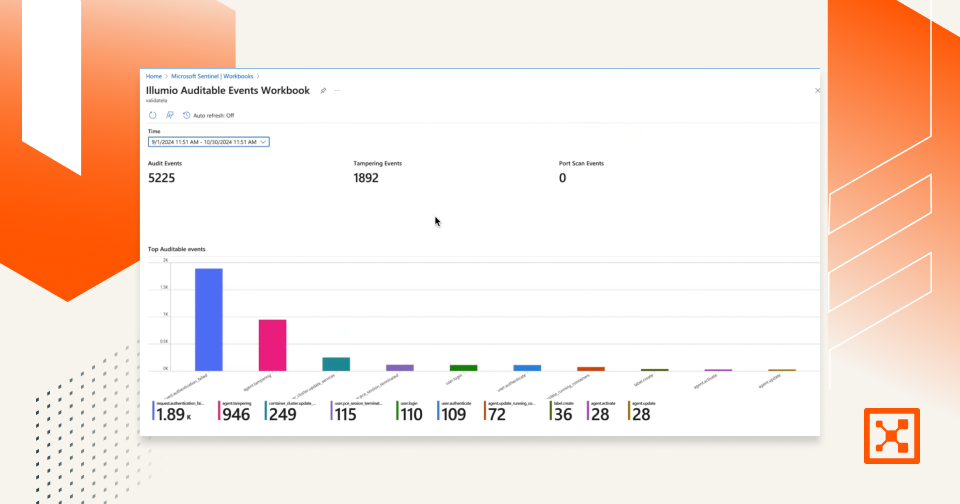
Demostración de integración de Illumio Sentinel
Vea cómo la integración de Illumio con Microsoft Sentinel optimiza SecOps, fortalece el cumplimiento y acelera la respuesta a incidentes cibernéticos.
Illumio Core: Un mejor enfoque de la segmentación
¿Qué hace que Illumio Core sea un enfoque de segmentación más simple, rápido y seguro que los firewalls de red?
Concentrar en Zero Trust
Este reporte resume los hallazgos de una encuesta realizada a profesionales de TI y seguridad sobre el progreso de los esfuerzos de seguridad de Zero Trust.
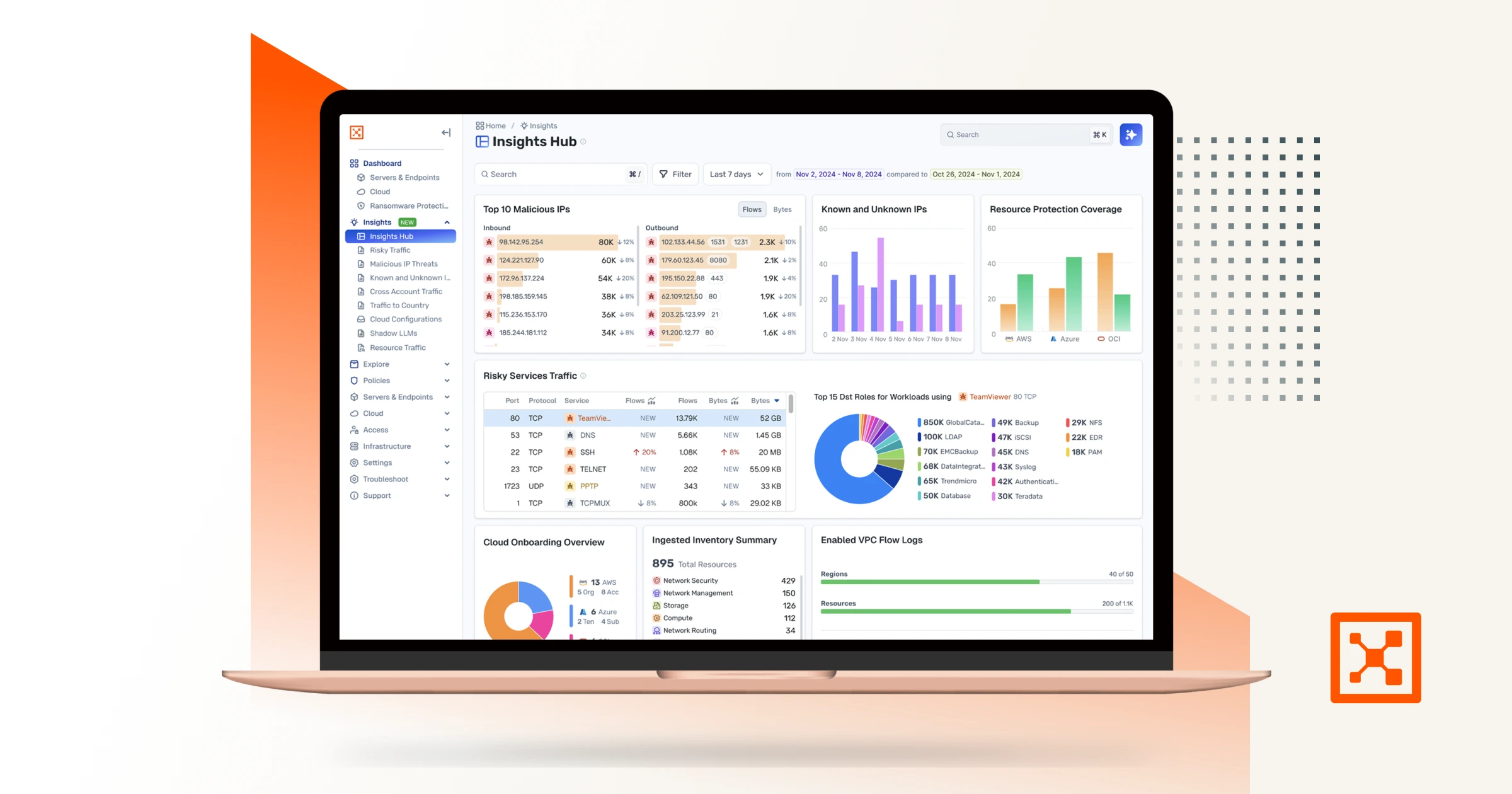
Illumio Insights
Obtenga más información sobre la solución híbrida de detección y respuesta en múltiples nubes, basada en un gráfico de seguridad impulsado por IA.
Asumir incumplimiento.
Minimizar el impacto.
Aumentar la resiliencia.
Comenzar con la premisa de que lo inesperado puede suceder en cualquier momento impulsa los siguientes comportamientos
Checkpoint and Illumio. Unified zero trust across the hybrid mesh. Here's a quick overview of the challenge and value of the joint solution, how the integration works, how to set it up, and what you can do with it. Attackers don't stop at the perimeter. They move laterally, east to west, across your hybrid mesh. Perimeter firewalls watch north south traffic. The lateral spread happens in the blind spots. That's why Illumio and Checkpoint have teamed up to combine macro and micro segmentation. The integration consists of three independent flows. In the first, Checkpoint logs stream into Illumio's AI security graph through the log exporter. In the second, the API connector ingests policy context from Checkpoint. Finally, on the Checkpoint side, connect to the Illumio segmentation API by adding a new data center. Now Illumio's labels flow into Checkpoint through the data center connector. One label based policy model across both platforms. Start off by setting up the log exporter within Illumio. Exchange certificates for the MTLS tunnel. Then point Checkpoint Syslog at Illumio, which is CEF over TCP port five fourteen. To unlock policy context, return to settings, connectors, and add the API connector. Currently, Illumio connects to the Checkpoint Management API through the Checkpoint Infinity portal only. Direct connectivity to an on premises Checkpoint Management Server is on our roadmap and will be available in a future release. Now Illumio has full context to build firewall insights. Now let's see how we benefit from the integration. Navigate to Firewall Insights and filter to Checkpoint. Every session your gateway's logged is contextualized. For example, risky services, top traffic, and the rules carrying it. Click into any rule to see exactly what it's permitting. The real flows, sources, destinations, and services behind it. Open the traffic map for the lateral picture. Who's talking to whom across the environment, so you know where to tighten policy. Now let's leverage Illumio labels to build label based policy within Checkpoint inside Smart Console. Once configured, Illumio appears as a data center right in the Checkpoint object picker. Browse Illumio's labels, app, environment, location, role, and its workloads right from the rule base. Pick a label, app equals demo, and drop it straight into the rule as a source or destination. The label resolves live workload IPs from Illumio, so enforcement follows the workload and policy never drifts. Now you've achieved complete segmentation, both macro and micro segmentation. Onboard in minutes, and you've got prevention, containment, detection, and response unified across the hybrid mesh. Checkpoint and Illumio, better together for complete visibility and control.

