.png)

Illumio Check Point Integration Übersichtsvideo
Erfahren Sie, wie Sie laterale Bewegungsrisiken innerhalb von Illumio Insights identifizieren und IllumioLabels in Check Point importieren, um labelbasierte Richtlinien zu erstellen.
Checkpoint and Illumio. Unified zero trust across the hybrid mesh. Here's a quick overview of the challenge and value of the joint solution, how the integration works, how to set it up, and what you can do with it. Attackers don't stop at the perimeter. They move laterally, east to west, across your hybrid mesh. Perimeter firewalls watch north south traffic. The lateral spread happens in the blind spots. That's why Illumio and Checkpoint have teamed up to combine macro and micro segmentation. The integration consists of three independent flows. In the first, Checkpoint logs stream into Illumio's AI security graph through the log exporter. In the second, the API connector ingests policy context from Checkpoint. Finally, on the Checkpoint side, connect to the Illumio segmentation API by adding a new data center. Now Illumio's labels flow into Checkpoint through the data center connector. One label based policy model across both platforms. Start off by setting up the log exporter within Illumio. Exchange certificates for the MTLS tunnel. Then point Checkpoint Syslog at Illumio, which is CEF over TCP port five fourteen. To unlock policy context, return to settings, connectors, and add the API connector. Currently, Illumio connects to the Checkpoint Management API through the Checkpoint Infinity portal only. Direct connectivity to an on premises Checkpoint Management Server is on our roadmap and will be available in a future release. Now Illumio has full context to build firewall insights. Now let's see how we benefit from the integration. Navigate to Firewall Insights and filter to Checkpoint. Every session your gateway's logged is contextualized. For example, risky services, top traffic, and the rules carrying it. Click into any rule to see exactly what it's permitting. The real flows, sources, destinations, and services behind it. Open the traffic map for the lateral picture. Who's talking to whom across the environment, so you know where to tighten policy. Now let's leverage Illumio labels to build label based policy within Checkpoint inside Smart Console. Once configured, Illumio appears as a data center right in the Checkpoint object picker. Browse Illumio's labels, app, environment, location, role, and its workloads right from the rule base. Pick a label, app equals demo, and drop it straight into the rule as a source or destination. The label resolves live workload IPs from Illumio, so enforcement follows the workload and policy never drifts. Now you've achieved complete segmentation, both macro and micro segmentation. Onboard in minutes, and you've got prevention, containment, detection, and response unified across the hybrid mesh. Checkpoint and Illumio, better together for complete visibility and control.
Höhepunkte
Wesentliche Vorteile
Asset-Vorschau
Jetzt herunterladen
Jetzt ansehen


Checkpoint and Illumio. Unified zero trust across the hybrid mesh. Here's a quick overview of the challenge and value of the joint solution, how the integration works, how to set it up, and what you can do with it. Attackers don't stop at the perimeter. They move laterally, east to west, across your hybrid mesh. Perimeter firewalls watch north south traffic. The lateral spread happens in the blind spots. That's why Illumio and Checkpoint have teamed up to combine macro and micro segmentation. The integration consists of three independent flows. In the first, Checkpoint logs stream into Illumio's AI security graph through the log exporter. In the second, the API connector ingests policy context from Checkpoint. Finally, on the Checkpoint side, connect to the Illumio segmentation API by adding a new data center. Now Illumio's labels flow into Checkpoint through the data center connector. One label based policy model across both platforms. Start off by setting up the log exporter within Illumio. Exchange certificates for the MTLS tunnel. Then point Checkpoint Syslog at Illumio, which is CEF over TCP port five fourteen. To unlock policy context, return to settings, connectors, and add the API connector. Currently, Illumio connects to the Checkpoint Management API through the Checkpoint Infinity portal only. Direct connectivity to an on premises Checkpoint Management Server is on our roadmap and will be available in a future release. Now Illumio has full context to build firewall insights. Now let's see how we benefit from the integration. Navigate to Firewall Insights and filter to Checkpoint. Every session your gateway's logged is contextualized. For example, risky services, top traffic, and the rules carrying it. Click into any rule to see exactly what it's permitting. The real flows, sources, destinations, and services behind it. Open the traffic map for the lateral picture. Who's talking to whom across the environment, so you know where to tighten policy. Now let's leverage Illumio labels to build label based policy within Checkpoint inside Smart Console. Once configured, Illumio appears as a data center right in the Checkpoint object picker. Browse Illumio's labels, app, environment, location, role, and its workloads right from the rule base. Pick a label, app equals demo, and drop it straight into the rule as a source or destination. The label resolves live workload IPs from Illumio, so enforcement follows the workload and policy never drifts. Now you've achieved complete segmentation, both macro and micro segmentation. Onboard in minutes, and you've got prevention, containment, detection, and response unified across the hybrid mesh. Checkpoint and Illumio, better together for complete visibility and control.
Jetzt herunterladen
Jetzt ansehen


Checkpoint and Illumio. Unified zero trust across the hybrid mesh. Here's a quick overview of the challenge and value of the joint solution, how the integration works, how to set it up, and what you can do with it. Attackers don't stop at the perimeter. They move laterally, east to west, across your hybrid mesh. Perimeter firewalls watch north south traffic. The lateral spread happens in the blind spots. That's why Illumio and Checkpoint have teamed up to combine macro and micro segmentation. The integration consists of three independent flows. In the first, Checkpoint logs stream into Illumio's AI security graph through the log exporter. In the second, the API connector ingests policy context from Checkpoint. Finally, on the Checkpoint side, connect to the Illumio segmentation API by adding a new data center. Now Illumio's labels flow into Checkpoint through the data center connector. One label based policy model across both platforms. Start off by setting up the log exporter within Illumio. Exchange certificates for the MTLS tunnel. Then point Checkpoint Syslog at Illumio, which is CEF over TCP port five fourteen. To unlock policy context, return to settings, connectors, and add the API connector. Currently, Illumio connects to the Checkpoint Management API through the Checkpoint Infinity portal only. Direct connectivity to an on premises Checkpoint Management Server is on our roadmap and will be available in a future release. Now Illumio has full context to build firewall insights. Now let's see how we benefit from the integration. Navigate to Firewall Insights and filter to Checkpoint. Every session your gateway's logged is contextualized. For example, risky services, top traffic, and the rules carrying it. Click into any rule to see exactly what it's permitting. The real flows, sources, destinations, and services behind it. Open the traffic map for the lateral picture. Who's talking to whom across the environment, so you know where to tighten policy. Now let's leverage Illumio labels to build label based policy within Checkpoint inside Smart Console. Once configured, Illumio appears as a data center right in the Checkpoint object picker. Browse Illumio's labels, app, environment, location, role, and its workloads right from the rule base. Pick a label, app equals demo, and drop it straight into the rule as a source or destination. The label resolves live workload IPs from Illumio, so enforcement follows the workload and policy never drifts. Now you've achieved complete segmentation, both macro and micro segmentation. Onboard in minutes, and you've got prevention, containment, detection, and response unified across the hybrid mesh. Checkpoint and Illumio, better together for complete visibility and control.





"Wir haben sofort die Vorteile von Illumio gesehen. Wir erhielten Einblick in unsere Umgebung und ergriffen sofort entscheidende Maßnahmen. Wir konnten so schnell handeln, weil Illumio die Zero-Trust-Segmentierung vereinfacht, indem es Risiken hervorhebt und Richtlinien vorschlägt. Illumio ermöglichte es uns, Schritt für Schritt vorzugehen und von Anfang an einen Mehrwert zu realisieren."
Leitender Beauftragter für Informationssicherheit
Löwe

"Mit Illumio haben wir jetzt einen noch nie dagewesenen Einblick in unseren Server- und Anwendungsverkehr. Es macht den Unterschied in unserer Fähigkeit, unser Rechenzentrum zu schützen."
Geschäftsführer für Informationstechnologie
Hongkong Elektrisch

"Der Ansturm von Ransomware-Angriffen erfordert End-to-End-Transparenz, fortschrittliche Analysen und automatisierte Aktionen auf der Grundlage einer offenen Plattform – das sind die grundlegenden Elemente, auf denen QRadar XDR entwickelt wurde. Durch die Nutzung seiner offenen Architektur und Segmentierungsplattformen wie Illumio hilft QRadar XDR seinen Kunden, eine frühzeitige Erkennung, Orchestrierung und schnelle, automatisierte Reaktion auf Ransomware und andere sich schnell entwickelnde Angriffe zu erreichen."
Vizepräsident für Produktmanagement
IBM-Sicherheit

"Mit Illumio haben wir jetzt einen noch nie dagewesenen Einblick in unseren Server- und Anwendungsverkehr. Es macht den Unterschied in unserer Fähigkeit, unser Rechenzentrum zu schützen."
Geschäftsführer für Informationstechnologie
Hongkong Elektrisch


QBE Insurance macht mit Illumio den nächsten Schritt auf dem Weg zu Zero Trust
QBE Insurance hat Illumio Core erfolgreich eingesetzt, um seine Zero-Trust-Sicherheitsabwehr zu stärken.
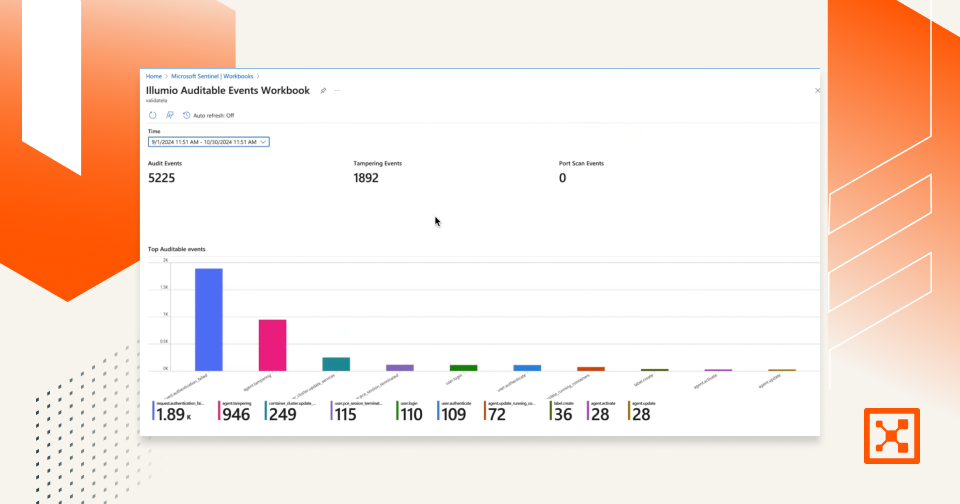
Illumio Sentinel Integration Demo
Erfahren Sie, wie die Integration von Illumio in Microsoft Sentinel SecOps optimiert, die Compliance stärkt und die Reaktion auf Cybervorfälle beschleunigt.
Illumio Core: Ein besserer Ansatz für die Segmentierung
Was macht Illumio Core zu einem einfacheren, schnelleren und sichereren Ansatz für die Segmentierung als Netzwerk-Firewalls?
Zero Trust im Fokus
Dieser Bericht fasst die Ergebnisse einer Umfrage unter IT- und Sicherheitsexperten zum Fortschritt der Zero-Trust-Sicherheitsbemühungen zusammen.
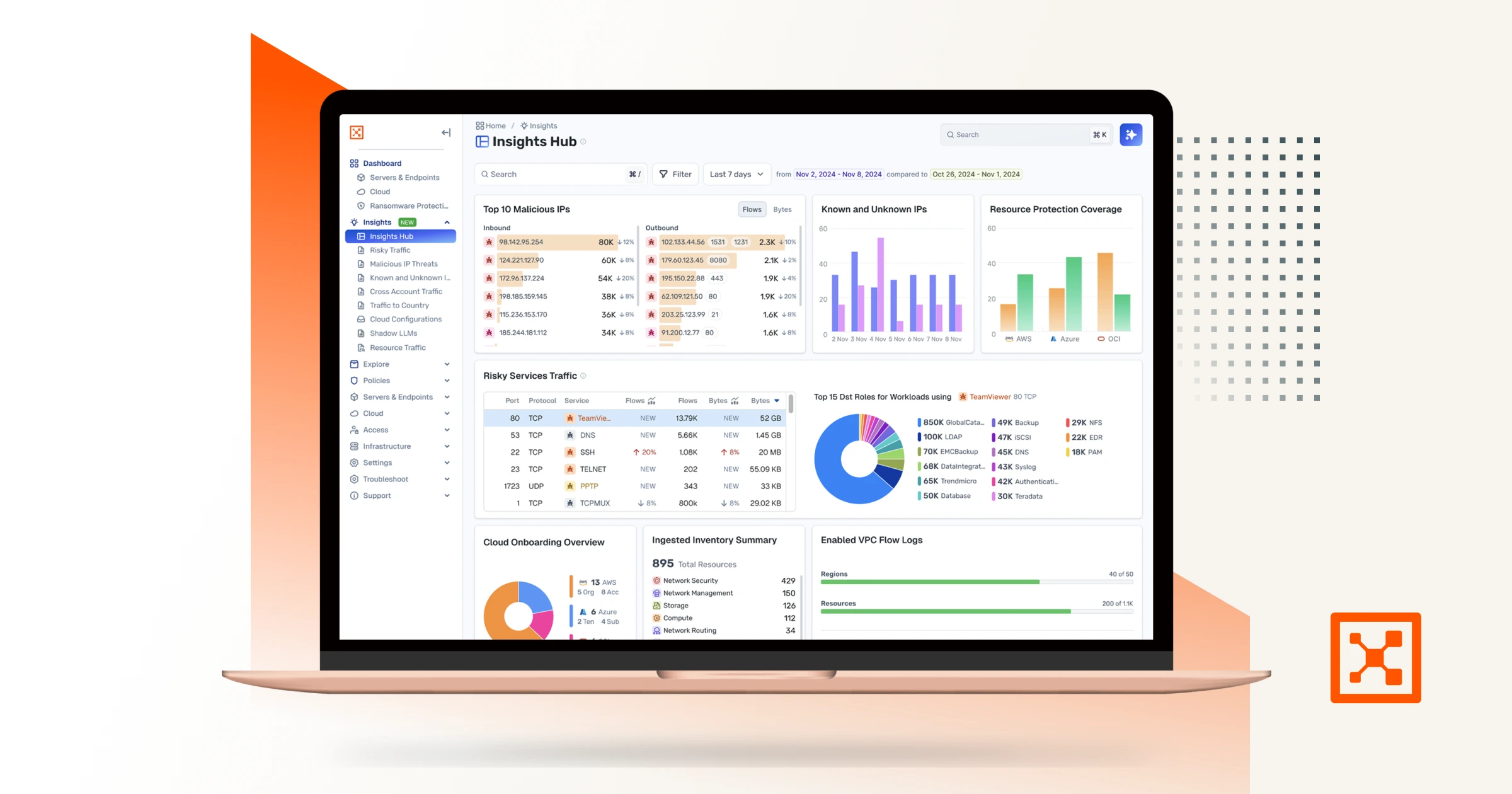
Illumio Insights
Erfahren Sie mehr über eine hybride Multi-Cloud-Erkennungs- und Reaktionslösung, die auf einem KI-gestützten Sicherheitsgraphen basiert.
Gehen Sie von einer Sicherheitsverletzung aus.
Minimieren Sie die Auswirkungen.
Erhöhen Sie die Resilienz.
Ausgehend von der Prämisse, dass das Unerwartete jederzeit passieren kann, treiben die folgenden Verhaltensweisen an
Checkpoint and Illumio. Unified zero trust across the hybrid mesh. Here's a quick overview of the challenge and value of the joint solution, how the integration works, how to set it up, and what you can do with it. Attackers don't stop at the perimeter. They move laterally, east to west, across your hybrid mesh. Perimeter firewalls watch north south traffic. The lateral spread happens in the blind spots. That's why Illumio and Checkpoint have teamed up to combine macro and micro segmentation. The integration consists of three independent flows. In the first, Checkpoint logs stream into Illumio's AI security graph through the log exporter. In the second, the API connector ingests policy context from Checkpoint. Finally, on the Checkpoint side, connect to the Illumio segmentation API by adding a new data center. Now Illumio's labels flow into Checkpoint through the data center connector. One label based policy model across both platforms. Start off by setting up the log exporter within Illumio. Exchange certificates for the MTLS tunnel. Then point Checkpoint Syslog at Illumio, which is CEF over TCP port five fourteen. To unlock policy context, return to settings, connectors, and add the API connector. Currently, Illumio connects to the Checkpoint Management API through the Checkpoint Infinity portal only. Direct connectivity to an on premises Checkpoint Management Server is on our roadmap and will be available in a future release. Now Illumio has full context to build firewall insights. Now let's see how we benefit from the integration. Navigate to Firewall Insights and filter to Checkpoint. Every session your gateway's logged is contextualized. For example, risky services, top traffic, and the rules carrying it. Click into any rule to see exactly what it's permitting. The real flows, sources, destinations, and services behind it. Open the traffic map for the lateral picture. Who's talking to whom across the environment, so you know where to tighten policy. Now let's leverage Illumio labels to build label based policy within Checkpoint inside Smart Console. Once configured, Illumio appears as a data center right in the Checkpoint object picker. Browse Illumio's labels, app, environment, location, role, and its workloads right from the rule base. Pick a label, app equals demo, and drop it straight into the rule as a source or destination. The label resolves live workload IPs from Illumio, so enforcement follows the workload and policy never drifts. Now you've achieved complete segmentation, both macro and micro segmentation. Onboard in minutes, and you've got prevention, containment, detection, and response unified across the hybrid mesh. Checkpoint and Illumio, better together for complete visibility and control.

