.png)

Illumio Check Point統合の概要ビデオ
Illumio Insights内で横方向の移動リスクを特定する方法、およびラベルベースのポリシーを構築するためにIllumioLabelsをCheck Pointにインポートする方法を学びましょう。
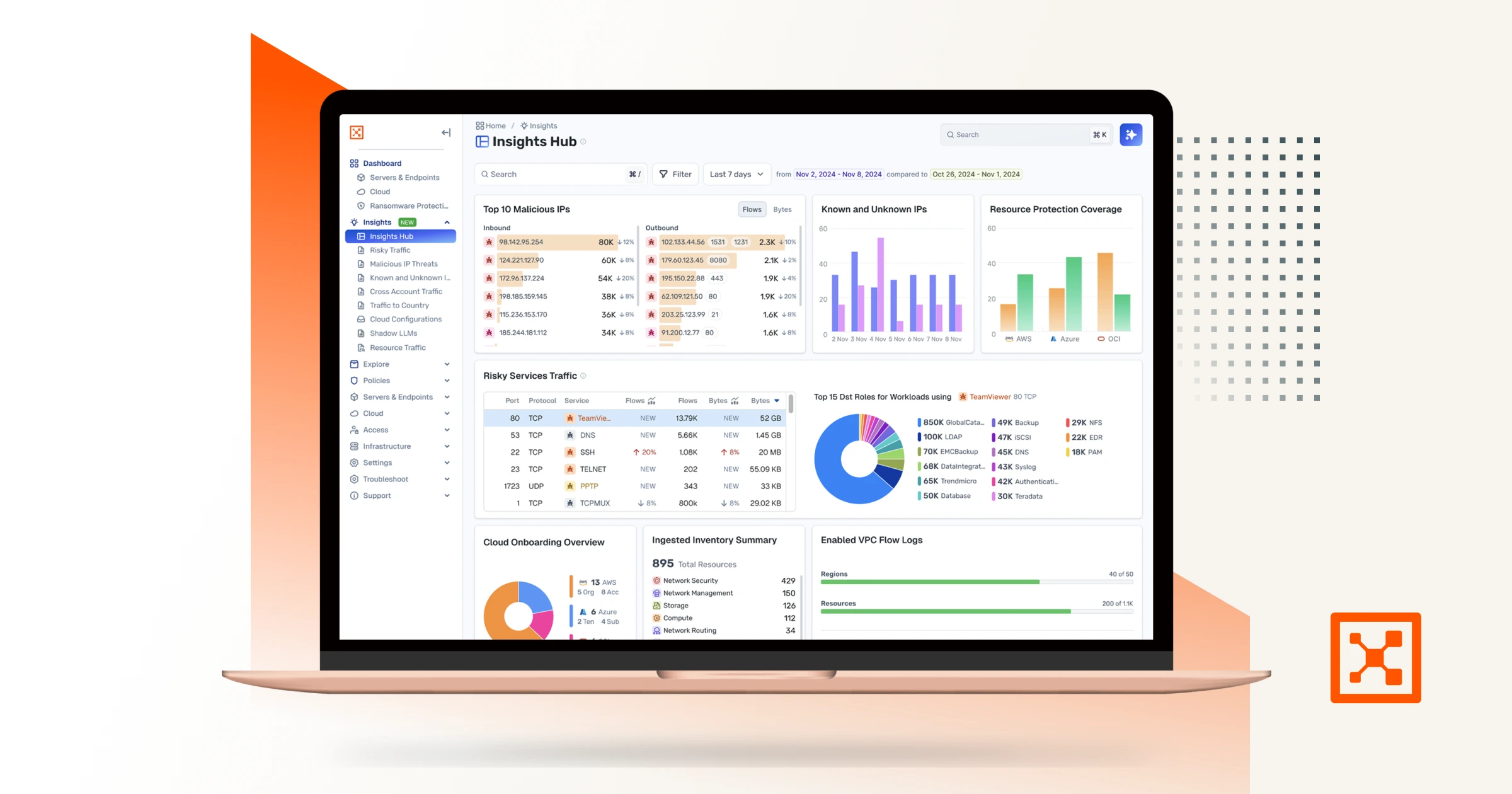
Checkpoint and Illumio. Unified zero trust across the hybrid mesh. Here's a quick overview of the challenge and value of the joint solution, how the integration works, how to set it up, and what you can do with it. Attackers don't stop at the perimeter. They move laterally, east to west, across your hybrid mesh. Perimeter firewalls watch north south traffic. The lateral spread happens in the blind spots. That's why Illumio and Checkpoint have teamed up to combine macro and micro segmentation. The integration consists of three independent flows. In the first, Checkpoint logs stream into Illumio's AI security graph through the log exporter. In the second, the API connector ingests policy context from Checkpoint. Finally, on the Checkpoint side, connect to the Illumio segmentation API by adding a new data center. Now Illumio's labels flow into Checkpoint through the data center connector. One label based policy model across both platforms. Start off by setting up the log exporter within Illumio. Exchange certificates for the MTLS tunnel. Then point Checkpoint Syslog at Illumio, which is CEF over TCP port five fourteen. To unlock policy context, return to settings, connectors, and add the API connector. Currently, Illumio connects to the Checkpoint Management API through the Checkpoint Infinity portal only. Direct connectivity to an on premises Checkpoint Management Server is on our roadmap and will be available in a future release. Now Illumio has full context to build firewall insights. Now let's see how we benefit from the integration. Navigate to Firewall Insights and filter to Checkpoint. Every session your gateway's logged is contextualized. For example, risky services, top traffic, and the rules carrying it. Click into any rule to see exactly what it's permitting. The real flows, sources, destinations, and services behind it. Open the traffic map for the lateral picture. Who's talking to whom across the environment, so you know where to tighten policy. Now let's leverage Illumio labels to build label based policy within Checkpoint inside Smart Console. Once configured, Illumio appears as a data center right in the Checkpoint object picker. Browse Illumio's labels, app, environment, location, role, and its workloads right from the rule base. Pick a label, app equals demo, and drop it straight into the rule as a source or destination. The label resolves live workload IPs from Illumio, so enforcement follows the workload and policy never drifts. Now you've achieved complete segmentation, both macro and micro segmentation. Onboard in minutes, and you've got prevention, containment, detection, and response unified across the hybrid mesh. Checkpoint and Illumio, better together for complete visibility and control.
ハイライト
主な利点
アセットのプレビュー
今すぐダウンロード
今すぐ見る


Checkpoint and Illumio. Unified zero trust across the hybrid mesh. Here's a quick overview of the challenge and value of the joint solution, how the integration works, how to set it up, and what you can do with it. Attackers don't stop at the perimeter. They move laterally, east to west, across your hybrid mesh. Perimeter firewalls watch north south traffic. The lateral spread happens in the blind spots. That's why Illumio and Checkpoint have teamed up to combine macro and micro segmentation. The integration consists of three independent flows. In the first, Checkpoint logs stream into Illumio's AI security graph through the log exporter. In the second, the API connector ingests policy context from Checkpoint. Finally, on the Checkpoint side, connect to the Illumio segmentation API by adding a new data center. Now Illumio's labels flow into Checkpoint through the data center connector. One label based policy model across both platforms. Start off by setting up the log exporter within Illumio. Exchange certificates for the MTLS tunnel. Then point Checkpoint Syslog at Illumio, which is CEF over TCP port five fourteen. To unlock policy context, return to settings, connectors, and add the API connector. Currently, Illumio connects to the Checkpoint Management API through the Checkpoint Infinity portal only. Direct connectivity to an on premises Checkpoint Management Server is on our roadmap and will be available in a future release. Now Illumio has full context to build firewall insights. Now let's see how we benefit from the integration. Navigate to Firewall Insights and filter to Checkpoint. Every session your gateway's logged is contextualized. For example, risky services, top traffic, and the rules carrying it. Click into any rule to see exactly what it's permitting. The real flows, sources, destinations, and services behind it. Open the traffic map for the lateral picture. Who's talking to whom across the environment, so you know where to tighten policy. Now let's leverage Illumio labels to build label based policy within Checkpoint inside Smart Console. Once configured, Illumio appears as a data center right in the Checkpoint object picker. Browse Illumio's labels, app, environment, location, role, and its workloads right from the rule base. Pick a label, app equals demo, and drop it straight into the rule as a source or destination. The label resolves live workload IPs from Illumio, so enforcement follows the workload and policy never drifts. Now you've achieved complete segmentation, both macro and micro segmentation. Onboard in minutes, and you've got prevention, containment, detection, and response unified across the hybrid mesh. Checkpoint and Illumio, better together for complete visibility and control.
今すぐダウンロード
今すぐ見る


Checkpoint and Illumio. Unified zero trust across the hybrid mesh. Here's a quick overview of the challenge and value of the joint solution, how the integration works, how to set it up, and what you can do with it. Attackers don't stop at the perimeter. They move laterally, east to west, across your hybrid mesh. Perimeter firewalls watch north south traffic. The lateral spread happens in the blind spots. That's why Illumio and Checkpoint have teamed up to combine macro and micro segmentation. The integration consists of three independent flows. In the first, Checkpoint logs stream into Illumio's AI security graph through the log exporter. In the second, the API connector ingests policy context from Checkpoint. Finally, on the Checkpoint side, connect to the Illumio segmentation API by adding a new data center. Now Illumio's labels flow into Checkpoint through the data center connector. One label based policy model across both platforms. Start off by setting up the log exporter within Illumio. Exchange certificates for the MTLS tunnel. Then point Checkpoint Syslog at Illumio, which is CEF over TCP port five fourteen. To unlock policy context, return to settings, connectors, and add the API connector. Currently, Illumio connects to the Checkpoint Management API through the Checkpoint Infinity portal only. Direct connectivity to an on premises Checkpoint Management Server is on our roadmap and will be available in a future release. Now Illumio has full context to build firewall insights. Now let's see how we benefit from the integration. Navigate to Firewall Insights and filter to Checkpoint. Every session your gateway's logged is contextualized. For example, risky services, top traffic, and the rules carrying it. Click into any rule to see exactly what it's permitting. The real flows, sources, destinations, and services behind it. Open the traffic map for the lateral picture. Who's talking to whom across the environment, so you know where to tighten policy. Now let's leverage Illumio labels to build label based policy within Checkpoint inside Smart Console. Once configured, Illumio appears as a data center right in the Checkpoint object picker. Browse Illumio's labels, app, environment, location, role, and its workloads right from the rule base. Pick a label, app equals demo, and drop it straight into the rule as a source or destination. The label resolves live workload IPs from Illumio, so enforcement follows the workload and policy never drifts. Now you've achieved complete segmentation, both macro and micro segmentation. Onboard in minutes, and you've got prevention, containment, detection, and response unified across the hybrid mesh. Checkpoint and Illumio, better together for complete visibility and control.


「私たちはすぐにイルミオの恩恵を実感し始めました。私たちは環境を可視化し、すぐに断固たる行動をとりました。イルミオがリスクを強調し、ポリシーを提案することでゼロトラストセグメンテーションをシンプルにしているため、これほど迅速に行動できたのです。イルミオのおかげで、私たちは段階的なアプローチをとり、最初から価値を実現することができました。」
最高情報セキュリティ責任者
ライオン

「イルミオのおかげで、サーバーとアプリケーションのトラフィックを前例のない可視性できました。これにより、データセンターを保護する能力に大きな違いが生まれています。」
情報技術担当ゼネラルマネージャー
香港電気

「ランサムウェア攻撃の猛攻撃には、オープン・プラットフォームに基づくエンドツーエンドの可視性、高度な分析、自動化されたアクションが求められます。これらは、QRadar XDRが設計された基礎要素です。QRadar XDRは、オープンアーキテクチャとIllumioなどのセグメンテーションプラットフォームを活用することで、顧客がランサムウェアやその他の動きの速い攻撃に対する早期検出、オーケストレーション、迅速で自動化された対応を実現できるよう支援します。」
製品管理担当副社長
IBM セキュリティー

「イルミオのおかげで、サーバーとアプリケーションのトラフィックを前例のない可視性できました。これにより、データセンターを保護する能力に大きな違いが生まれています。」
情報技術担当ゼネラルマネージャー
香港電気
関連リソース


Checkpoint and Illumio. Unified zero trust across the hybrid mesh. Here's a quick overview of the challenge and value of the joint solution, how the integration works, how to set it up, and what you can do with it. Attackers don't stop at the perimeter. They move laterally, east to west, across your hybrid mesh. Perimeter firewalls watch north south traffic. The lateral spread happens in the blind spots. That's why Illumio and Checkpoint have teamed up to combine macro and micro segmentation. The integration consists of three independent flows. In the first, Checkpoint logs stream into Illumio's AI security graph through the log exporter. In the second, the API connector ingests policy context from Checkpoint. Finally, on the Checkpoint side, connect to the Illumio segmentation API by adding a new data center. Now Illumio's labels flow into Checkpoint through the data center connector. One label based policy model across both platforms. Start off by setting up the log exporter within Illumio. Exchange certificates for the MTLS tunnel. Then point Checkpoint Syslog at Illumio, which is CEF over TCP port five fourteen. To unlock policy context, return to settings, connectors, and add the API connector. Currently, Illumio connects to the Checkpoint Management API through the Checkpoint Infinity portal only. Direct connectivity to an on premises Checkpoint Management Server is on our roadmap and will be available in a future release. Now Illumio has full context to build firewall insights. Now let's see how we benefit from the integration. Navigate to Firewall Insights and filter to Checkpoint. Every session your gateway's logged is contextualized. For example, risky services, top traffic, and the rules carrying it. Click into any rule to see exactly what it's permitting. The real flows, sources, destinations, and services behind it. Open the traffic map for the lateral picture. Who's talking to whom across the environment, so you know where to tighten policy. Now let's leverage Illumio labels to build label based policy within Checkpoint inside Smart Console. Once configured, Illumio appears as a data center right in the Checkpoint object picker. Browse Illumio's labels, app, environment, location, role, and its workloads right from the rule base. Pick a label, app equals demo, and drop it straight into the rule as a source or destination. The label resolves live workload IPs from Illumio, so enforcement follows the workload and policy never drifts. Now you've achieved complete segmentation, both macro and micro segmentation. Onboard in minutes, and you've got prevention, containment, detection, and response unified across the hybrid mesh. Checkpoint and Illumio, better together for complete visibility and control.

