.png)

Illumio Check Point Integration Overview Video
Learn how to identify lateral movement risks within Illumio Insights, as well as to import IllumioLabels into Check Point to build label-based policies.
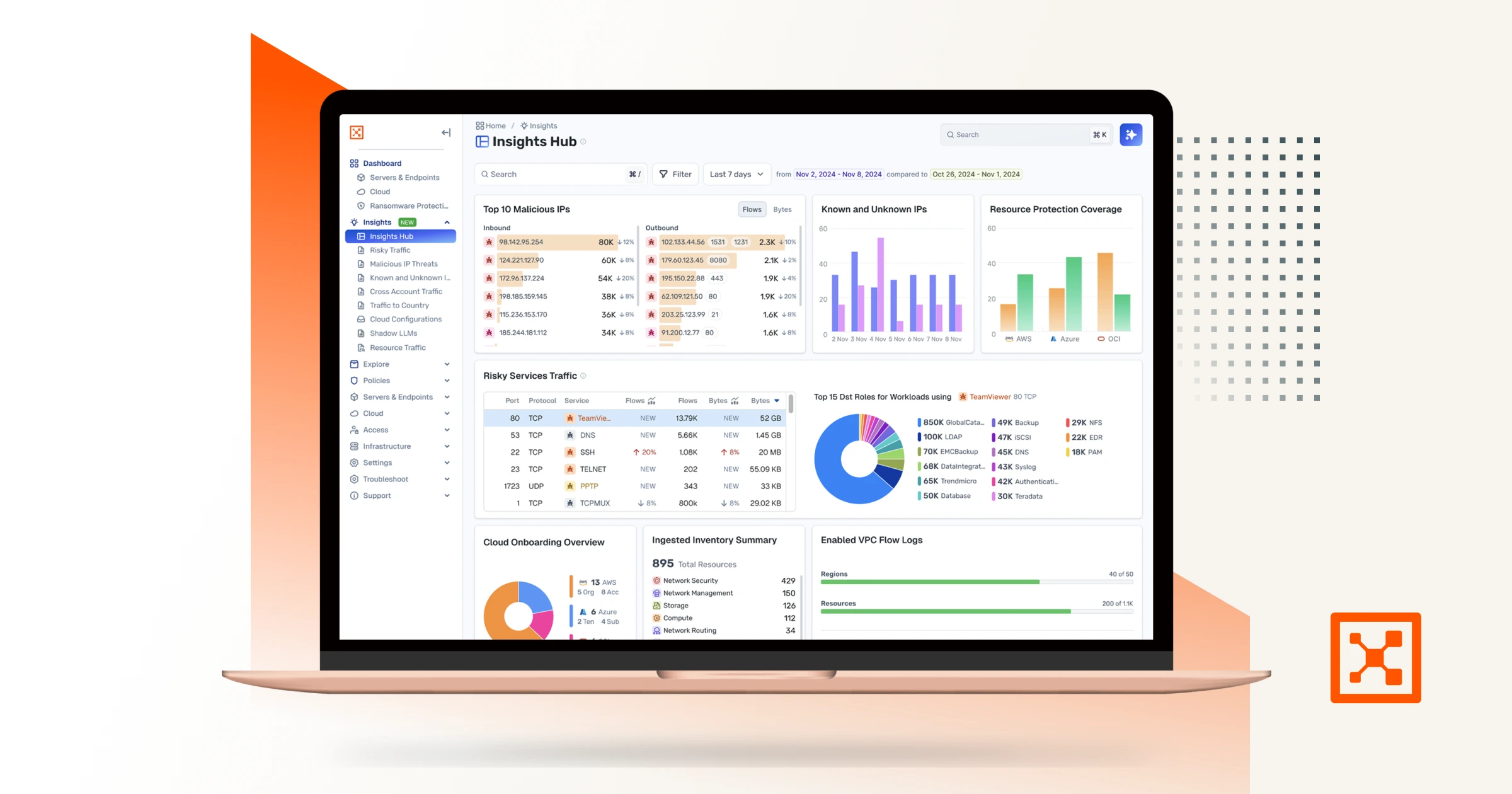
Checkpoint and Illumio. Unified zero trust across the hybrid mesh. Here's a quick overview of the challenge and value of the joint solution, how the integration works, how to set it up, and what you can do with it. Attackers don't stop at the perimeter. They move laterally, east to west, across your hybrid mesh. Perimeter firewalls watch north south traffic. The lateral spread happens in the blind spots. That's why Illumio and Checkpoint have teamed up to combine macro and micro segmentation. The integration consists of three independent flows. In the first, Checkpoint logs stream into Illumio's AI security graph through the log exporter. In the second, the API connector ingests policy context from Checkpoint. Finally, on the Checkpoint side, connect to the Illumio segmentation API by adding a new data center. Now Illumio's labels flow into Checkpoint through the data center connector. One label based policy model across both platforms. Start off by setting up the log exporter within Illumio. Exchange certificates for the MTLS tunnel. Then point Checkpoint Syslog at Illumio, which is CEF over TCP port five fourteen. To unlock policy context, return to settings, connectors, and add the API connector. Currently, Illumio connects to the Checkpoint Management API through the Checkpoint Infinity portal only. Direct connectivity to an on premises Checkpoint Management Server is on our roadmap and will be available in a future release. Now Illumio has full context to build firewall insights. Now let's see how we benefit from the integration. Navigate to Firewall Insights and filter to Checkpoint. Every session your gateway's logged is contextualized. For example, risky services, top traffic, and the rules carrying it. Click into any rule to see exactly what it's permitting. The real flows, sources, destinations, and services behind it. Open the traffic map for the lateral picture. Who's talking to whom across the environment, so you know where to tighten policy. Now let's leverage Illumio labels to build label based policy within Checkpoint inside Smart Console. Once configured, Illumio appears as a data center right in the Checkpoint object picker. Browse Illumio's labels, app, environment, location, role, and its workloads right from the rule base. Pick a label, app equals demo, and drop it straight into the rule as a source or destination. The label resolves live workload IPs from Illumio, so enforcement follows the workload and policy never drifts. Now you've achieved complete segmentation, both macro and micro segmentation. Onboard in minutes, and you've got prevention, containment, detection, and response unified across the hybrid mesh. Checkpoint and Illumio, better together for complete visibility and control.
Highlights
Key benefits
Asset preview
Download Now
Watch Now





Checkpoint and Illumio. Unified zero trust across the hybrid mesh. Here's a quick overview of the challenge and value of the joint solution, how the integration works, how to set it up, and what you can do with it. Attackers don't stop at the perimeter. They move laterally, east to west, across your hybrid mesh. Perimeter firewalls watch north south traffic. The lateral spread happens in the blind spots. That's why Illumio and Checkpoint have teamed up to combine macro and micro segmentation. The integration consists of three independent flows. In the first, Checkpoint logs stream into Illumio's AI security graph through the log exporter. In the second, the API connector ingests policy context from Checkpoint. Finally, on the Checkpoint side, connect to the Illumio segmentation API by adding a new data center. Now Illumio's labels flow into Checkpoint through the data center connector. One label based policy model across both platforms. Start off by setting up the log exporter within Illumio. Exchange certificates for the MTLS tunnel. Then point Checkpoint Syslog at Illumio, which is CEF over TCP port five fourteen. To unlock policy context, return to settings, connectors, and add the API connector. Currently, Illumio connects to the Checkpoint Management API through the Checkpoint Infinity portal only. Direct connectivity to an on premises Checkpoint Management Server is on our roadmap and will be available in a future release. Now Illumio has full context to build firewall insights. Now let's see how we benefit from the integration. Navigate to Firewall Insights and filter to Checkpoint. Every session your gateway's logged is contextualized. For example, risky services, top traffic, and the rules carrying it. Click into any rule to see exactly what it's permitting. The real flows, sources, destinations, and services behind it. Open the traffic map for the lateral picture. Who's talking to whom across the environment, so you know where to tighten policy. Now let's leverage Illumio labels to build label based policy within Checkpoint inside Smart Console. Once configured, Illumio appears as a data center right in the Checkpoint object picker. Browse Illumio's labels, app, environment, location, role, and its workloads right from the rule base. Pick a label, app equals demo, and drop it straight into the rule as a source or destination. The label resolves live workload IPs from Illumio, so enforcement follows the workload and policy never drifts. Now you've achieved complete segmentation, both macro and micro segmentation. Onboard in minutes, and you've got prevention, containment, detection, and response unified across the hybrid mesh. Checkpoint and Illumio, better together for complete visibility and control.
Download Now
Watch Now


Checkpoint and Illumio. Unified zero trust across the hybrid mesh. Here's a quick overview of the challenge and value of the joint solution, how the integration works, how to set it up, and what you can do with it. Attackers don't stop at the perimeter. They move laterally, east to west, across your hybrid mesh. Perimeter firewalls watch north south traffic. The lateral spread happens in the blind spots. That's why Illumio and Checkpoint have teamed up to combine macro and micro segmentation. The integration consists of three independent flows. In the first, Checkpoint logs stream into Illumio's AI security graph through the log exporter. In the second, the API connector ingests policy context from Checkpoint. Finally, on the Checkpoint side, connect to the Illumio segmentation API by adding a new data center. Now Illumio's labels flow into Checkpoint through the data center connector. One label based policy model across both platforms. Start off by setting up the log exporter within Illumio. Exchange certificates for the MTLS tunnel. Then point Checkpoint Syslog at Illumio, which is CEF over TCP port five fourteen. To unlock policy context, return to settings, connectors, and add the API connector. Currently, Illumio connects to the Checkpoint Management API through the Checkpoint Infinity portal only. Direct connectivity to an on premises Checkpoint Management Server is on our roadmap and will be available in a future release. Now Illumio has full context to build firewall insights. Now let's see how we benefit from the integration. Navigate to Firewall Insights and filter to Checkpoint. Every session your gateway's logged is contextualized. For example, risky services, top traffic, and the rules carrying it. Click into any rule to see exactly what it's permitting. The real flows, sources, destinations, and services behind it. Open the traffic map for the lateral picture. Who's talking to whom across the environment, so you know where to tighten policy. Now let's leverage Illumio labels to build label based policy within Checkpoint inside Smart Console. Once configured, Illumio appears as a data center right in the Checkpoint object picker. Browse Illumio's labels, app, environment, location, role, and its workloads right from the rule base. Pick a label, app equals demo, and drop it straight into the rule as a source or destination. The label resolves live workload IPs from Illumio, so enforcement follows the workload and policy never drifts. Now you've achieved complete segmentation, both macro and micro segmentation. Onboard in minutes, and you've got prevention, containment, detection, and response unified across the hybrid mesh. Checkpoint and Illumio, better together for complete visibility and control.





“We started seeing benefits from Illumio right away. We gained visibility into our environment and took decisive action immediately. We were able to move so quickly because Illumio makes Zero Trust Segmentation simple by highlighting risk and suggesting policy. Illumio allowed us to take a step-by-step approach and realize value out of the gate.”
Chief Information Security Officer
Lion

“With Illumio, we now have unprecedented visibility into our server and application traffic. It is making all the difference in our ability to protect our data center.”
General Manager of Information Technology
Hongkong Electric

“The onslaught of ransomware attacks demands end to end visibility, advanced analytics and automated actions based on an open platform—which are the foundational elements on which QRadar XDR was designed. By leveraging its open architecture and segmentation platforms like Illumio, QRadar XDR helps customers achieve early detection, orchestration, and rapid, automated response to ransomware and other fast-moving attacks."
VP of Product Management
IBM Security

“With Illumio, we now have unprecedented visibility into our server and application traffic. It is making all the difference in our ability to protect our data center.”
General Manager of Information Technology
Hongkong Electric








ROI of Zero Trust Segmentation: Reduced Complexity
Modern Zero Trust Segmentation from Illumio dramatically reduces architectural complexity challenges posed by traditional network-based approaches to segmentation.

QBE Prevents Breaches From Spreading With Illumio Core
Andrew Dell, CISO at QBE Insurance, keeps the company's globally-distributed workloads safe from ransomware and breaches with Zero Trust Segmentation from Illumio.
Firewalls vs. Illumio: Making Rule Changes
Microsegmentation experts discuss the risk in provisioning rules changes with firewalls vs. Illumio's ability to test changes before enforcement.
Assume Breach.
Minimize Impact.
Increase Resilience.
Starting with the premise that the unexpected can happen at any time drives the following behaviors
Checkpoint and Illumio. Unified zero trust across the hybrid mesh. Here's a quick overview of the challenge and value of the joint solution, how the integration works, how to set it up, and what you can do with it. Attackers don't stop at the perimeter. They move laterally, east to west, across your hybrid mesh. Perimeter firewalls watch north south traffic. The lateral spread happens in the blind spots. That's why Illumio and Checkpoint have teamed up to combine macro and micro segmentation. The integration consists of three independent flows. In the first, Checkpoint logs stream into Illumio's AI security graph through the log exporter. In the second, the API connector ingests policy context from Checkpoint. Finally, on the Checkpoint side, connect to the Illumio segmentation API by adding a new data center. Now Illumio's labels flow into Checkpoint through the data center connector. One label based policy model across both platforms. Start off by setting up the log exporter within Illumio. Exchange certificates for the MTLS tunnel. Then point Checkpoint Syslog at Illumio, which is CEF over TCP port five fourteen. To unlock policy context, return to settings, connectors, and add the API connector. Currently, Illumio connects to the Checkpoint Management API through the Checkpoint Infinity portal only. Direct connectivity to an on premises Checkpoint Management Server is on our roadmap and will be available in a future release. Now Illumio has full context to build firewall insights. Now let's see how we benefit from the integration. Navigate to Firewall Insights and filter to Checkpoint. Every session your gateway's logged is contextualized. For example, risky services, top traffic, and the rules carrying it. Click into any rule to see exactly what it's permitting. The real flows, sources, destinations, and services behind it. Open the traffic map for the lateral picture. Who's talking to whom across the environment, so you know where to tighten policy. Now let's leverage Illumio labels to build label based policy within Checkpoint inside Smart Console. Once configured, Illumio appears as a data center right in the Checkpoint object picker. Browse Illumio's labels, app, environment, location, role, and its workloads right from the rule base. Pick a label, app equals demo, and drop it straight into the rule as a source or destination. The label resolves live workload IPs from Illumio, so enforcement follows the workload and policy never drifts. Now you've achieved complete segmentation, both macro and micro segmentation. Onboard in minutes, and you've got prevention, containment, detection, and response unified across the hybrid mesh. Checkpoint and Illumio, better together for complete visibility and control.

