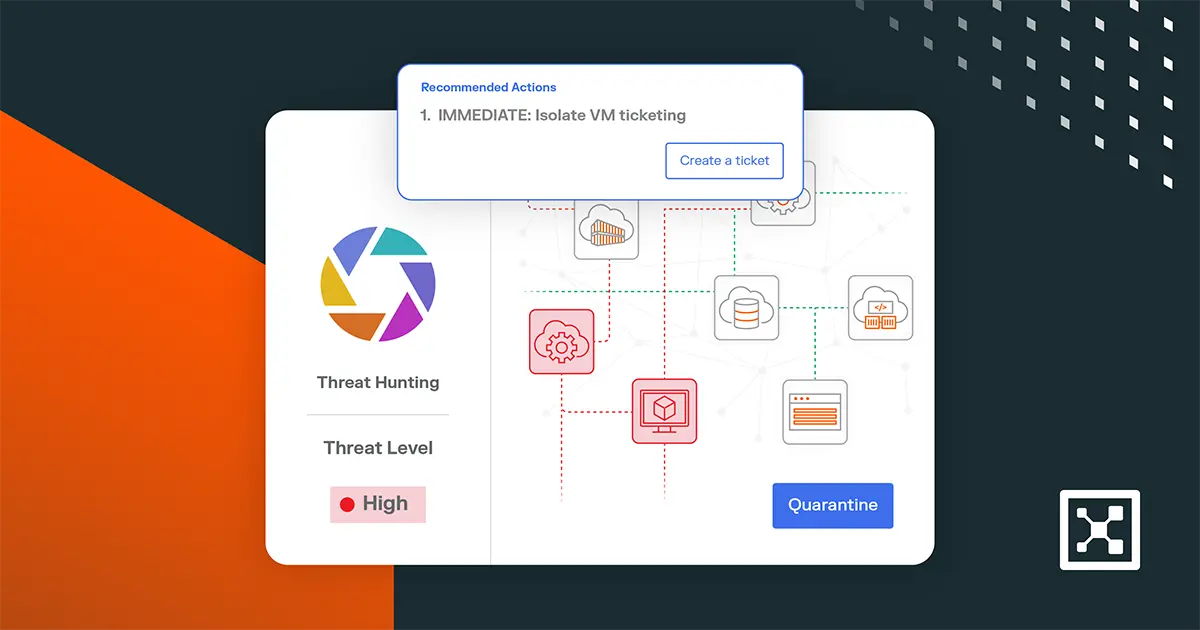
3 Ways to Get the Most Out of Your Illumio Insights Free Trial
Nearly 90% of organizations experienced a security incident involving lateral movement in the past year, according to The 2025 Global Cloud Detection and Response Report.
Once attackers get past your security perimeter and inside your networks, they don’t stop. They move quietly across workloads, taking advantage of unseen connections and overexposed systems.
Visibility into all internal network lateral traffic is the problem Illumio Insights is designed to solve.
From the moment you launch your free sandboxed environment, you can see real communication paths, reachable ports, and unexpected flows across your hybrid, multi-cloud environment. View demo data and see your own internal lateral traffic by onboarding your own cloud resources and flow log data.

Instead of taking your best guess where risk may be building, you see it clearly and plainly.
With just a few simple steps, you can turn your trial into a meaningful snapshot of your environment’s behavior. Here are three easy ways to get started.
1. Ingest your flow logs to see your real-time lateral traffic come alive
If you want to understand how your environment behaves in real time, connect your flow logs.
Illumio Insights supports Amazon Web Services (AWS), Microsoft Azure, Google Cloud Platform (GCP), and on-premises sources. Even a small sample of logs is enough to get real-time visibility into communication patterns across your environment.
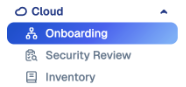
To get started, navigate to the Cloud section in the sidebar, and select the Onboarding tab.
Then, choose your team’s cloud environment under the Cloud Accounts section.
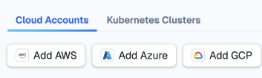
The onboarding process is different depending on what cloud platform you’re using. This video outlines a step-by-step process to get started:
Once you’ve onboarded, granting flow logs access is simple:
- After you’ve added your AWS, Azure, or GCP account, go back to the Onboarding tab and choose Flow Log Access.
- Select Azure, AWS, or GCP, and then choose Grant Access. If you need more detailed steps on how to do this, read the product documentation.
- Select your service account, provide the service account token, and choose Done.
Once logs are ingested, explore:
- Traffic maps: a visual representation of how workloads communicate
- Top talkers: systems generating the most traffic
- Unexpected flows: connections that require investigation
- Exposure points: workloads with reachable or unnecessary ports
These insights give you a holistic view of your environment’s behavior, powered by data you already have.
2. Launch Insights Agent to quickly expose hidden risk
One of the quickest paths to value in your trial is launching the Insights Agent to expose your highest blast radius risks.
In today’s hybrid cloud environments, risk often hides in the small details of the internal network traffic. Examples include an unexpected listening port, a stale process, or a workload that is more reachable than it should be. They all create risky exposure.
Agent surfaces that information immediately, so you see not only traffic patterns but the risk factors behind them. Agent collects the context that cloud logs alone can’t deliver.
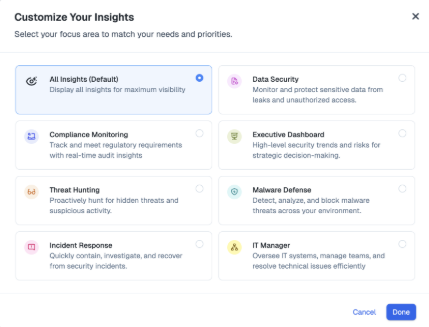
To get started with Agent, navigate to the sidebar on the left side of the screen. Choose the Insights Agent option from the dropdown menu.
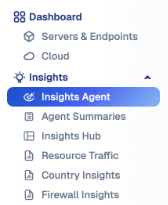
Then, check out:
- Persona-based insights. Choose from a variety of roles, and watch Agent tailor its guidance to the role’s needs at the click of a button.
- Real-time threat detection. Mapped to the MITRE ATT&CK framework, get instant analysis of your workload traffic, cloud ingress/egress, and network flows across hybrid, multi-cloud architectures.
- AI-powered investigation. Have the agent perform deep-dive analysis into affected resources, workloads, and policies, and see it get smarter the more you use it.
- One-click breach containment. As part of the Illumio Breach Containment Platform, Insights integrates directly with Illumio Segmentation. When Agent flags a threat, it immediately tells Segmentation to quarantine the compromised workload or flow.
Once launched, you’ll immediately see the largest blast radius threats:
- Active processes and open ports
- Inbound and outbound connectivity
- An AI-generated summary with immediate actionable suggestions

Agent shows you where risk is building, explains why, and quarantine largest threats immediately so you can isolate problems taking shape before they escalate. By using Agent early, you get a quick win and build immediate momentum as you evaluate Insights.
3. Invite your system admins and teammates to build shared understanding
Security insights are more valuable and actionable when all your security teammates can see them, particularly according to their role’s requirements.
That’s why we’ve designed Illumio Insights to make visibility collaborative.
Add key security stakeholders to the trial, including administrators, cloud and infrastructure engineers, security analysis, or network teams, to dramatically improve how quickly you can validate what you’re seeing.
To invite teammates to use your Insights trial, navigate to the Access option in the sidebar. Choose the Users tab and then choose Add.
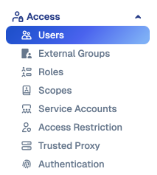
Enter the user’s details, and they’ll automatically receive an email from Illumio to onboard to Insights.
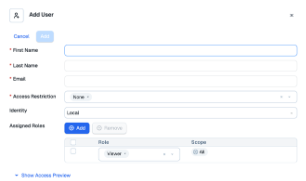
Once added, your admin will be able to begin the onboarding process. This gives you and your team shared visibility into live data within your Insights trial environment.
Even in a trial, shared visibility helps teams reach decisions more quickly and with greater confidence.
Illumio Insights: identify and contain risk before it spreads
Risk doesn’t wait for you to decide on which security products you’ll buy. It accumulates quietly in exposed ports, over-permissioned workloads, and unseen communication paths.
The longer those patterns go unexamined, the more room an attacker has to move.
Your 14-day Illumio Insights free trial gives you a window into what’s really happening inside your environment. Use it to uncover where risk is building, get actionable guidance on how to stop lateral movement, and see how quickly you can close the containment gap in your environment.
Experience Illumio Insights free to see what’s really happening in your environment.