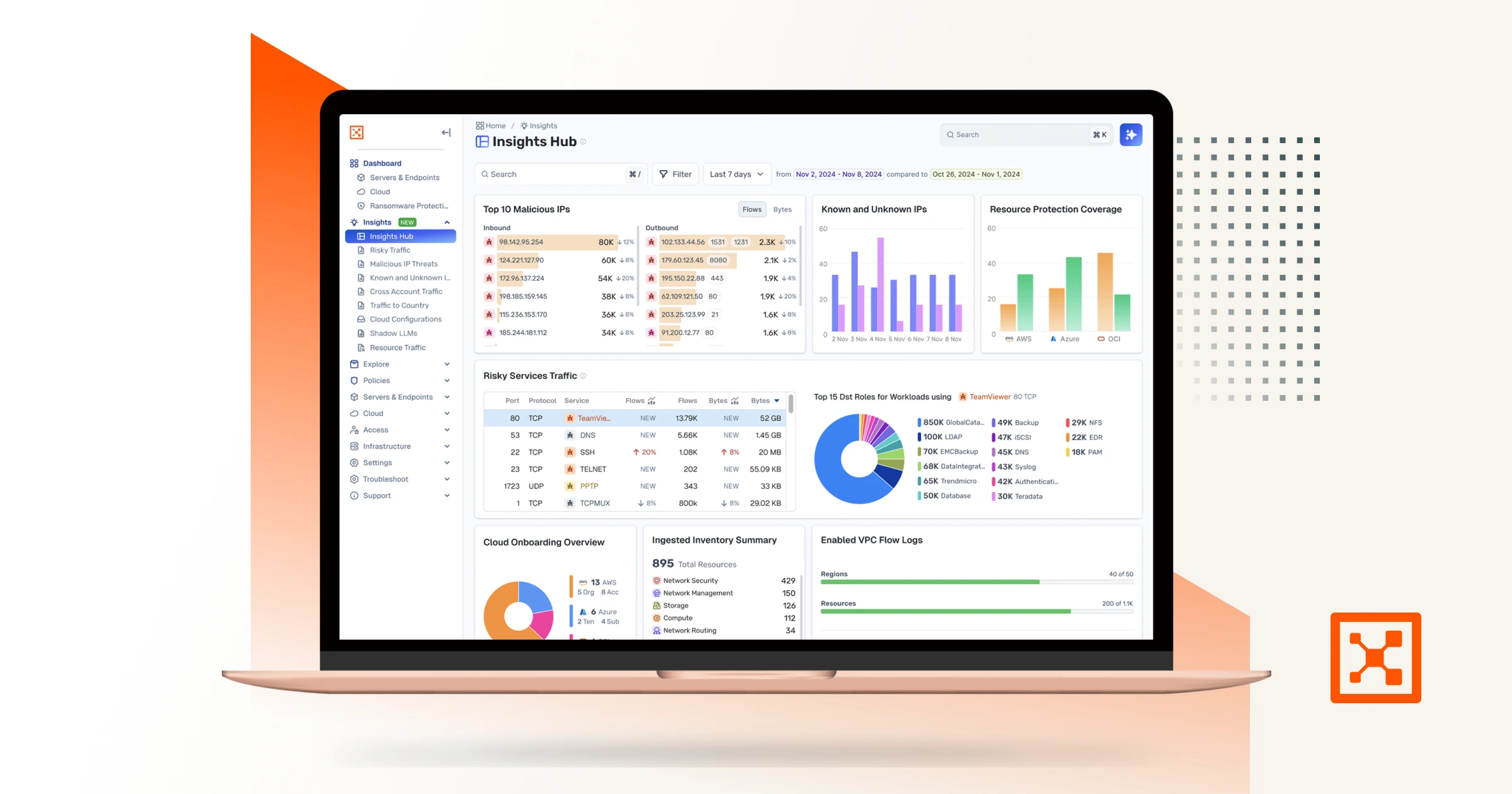
4 More Ways to Get Hands-On Value from Your Illumio Insights Free Trial
In Part I of this series, we shared ways to get oriented in Illumio Insights and start uncovering value early in your free trial.
Once you’ve built that baseline understanding, the next step is using Insights the way security teams actually work: from a role perspective ranging from CISO to threat hunter, by asking questions, testing assumptions, and validating risk.
This follow‑up post focuses on four kinds of investigations that you can do right now in your environment, which help new users move beyond surface‑level visibility and into meaningful security insight.
Each one reflects a common real‑world concern and shows how Insights supports faster, more confident decision‑making without requiring weeks of tuning or historical context.
To get the most out of these exercises, we recommend you onboard your cloud accounts (AWS, Azure, or GCP) and we will ingest your flow logs so you can see live data in the trial environment. You can read how to do that in part one of this series or in our product documentation.
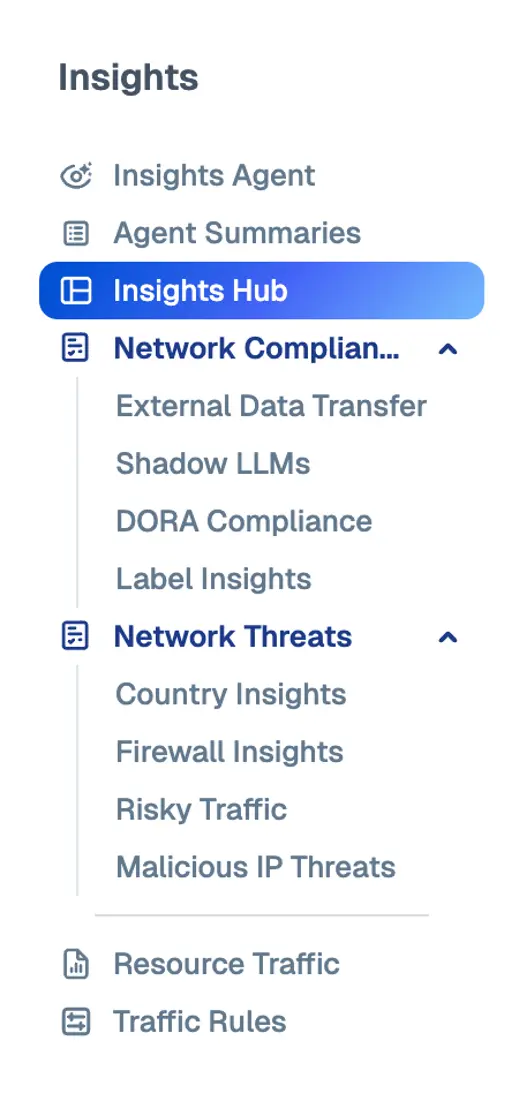
To navigate to any one of the features mentioned in this post, use the navigation window on the left side of your screen in Insights.
1. Investigate real threats, not hypothetical ones
A common challenge with security tools is knowing where to begin.
There are not many tools out there that can quickly detect lateral movement risks. In fact, many companies have a plethora of tools at their disposal and still get breached. So instead of going through multiple dashboards to understand where the problem lies, Illumio Insights removes that guesswork by surfacing known malicious activity early, giving new users something concrete to investigate.
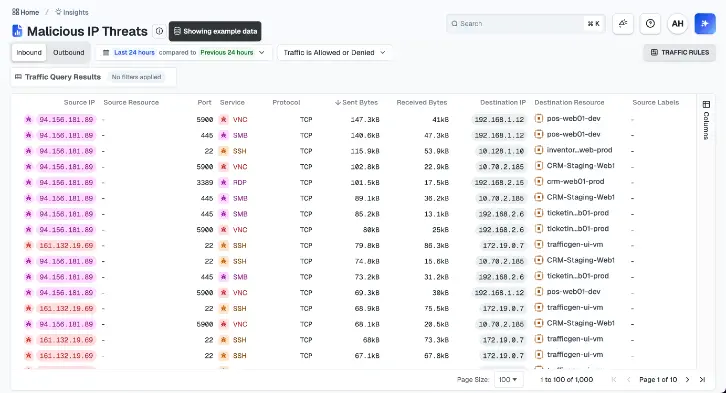
Once you navigate to the Malicious IP Threats tab, you can anchor your investigation around a single malicious IP rather than starting with abstract metrics.
Get answers to practical questions such as:
- Is this activity isolated or widespread?
- Which internal resources are involved?
- Does this look like noise, or is it something worth escalating?
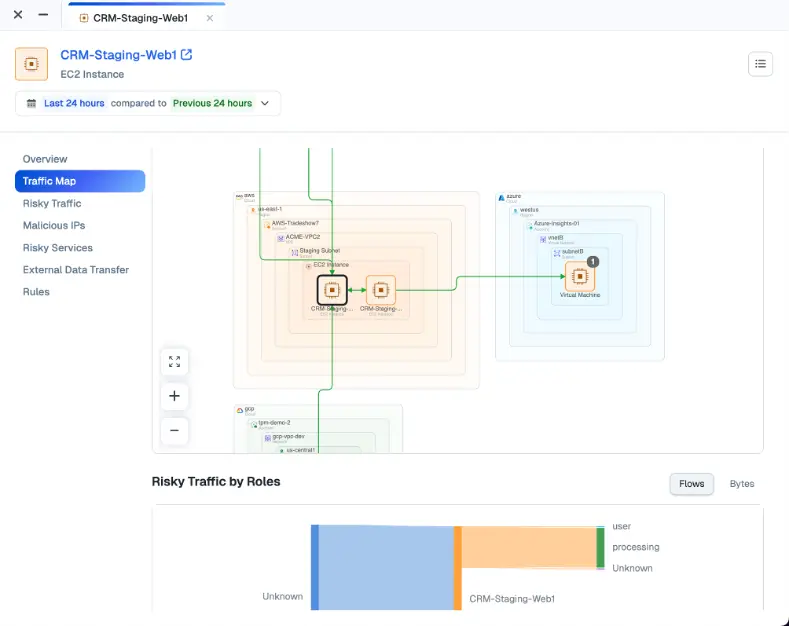
Instead of memorizing the details of one IP at a time, Insights helps connect the dots between threat intelligence, traffic context, and affected workloads all in one place. This is also where Insights really makes the most of the AI-powered security graph.
Drawing on powerful observability into network traffic flows, Insights highlights risky behavior, exposed attack paths, and abnormal movement patterns that indicate an attacker is probing for lateral access.
The result is better detection — not because there are more alerts, but because alerts are tied directly to potential impact. Security teams can focus on what matters most instead of chasing noise.
2. Validate risky services and the controls you trust
Nearly all organizations already have certain security controls in place. The question is whether those controls are actually working the way you think they are.
Your Insights free trial is an ideal time to test that assumption by examining risky services traffic. These are protocols that are commonly abused for lateral movement or unauthorized access.
Instead of treating this as a binary allowed versus blocked check, Insights lets you evaluate risk more holistically.
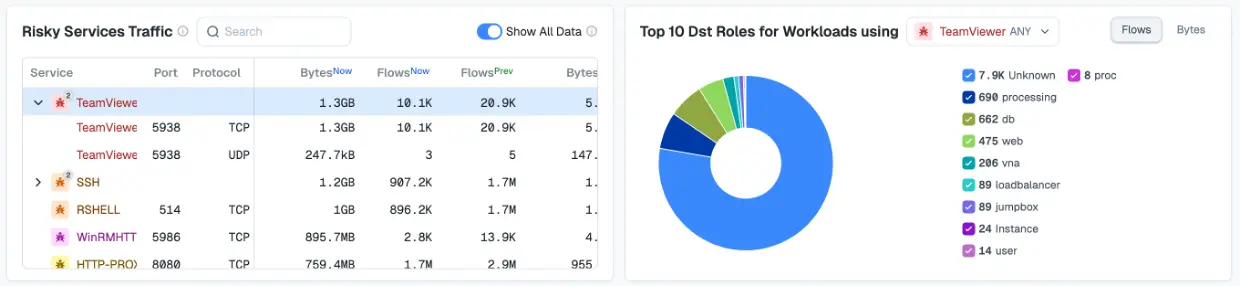
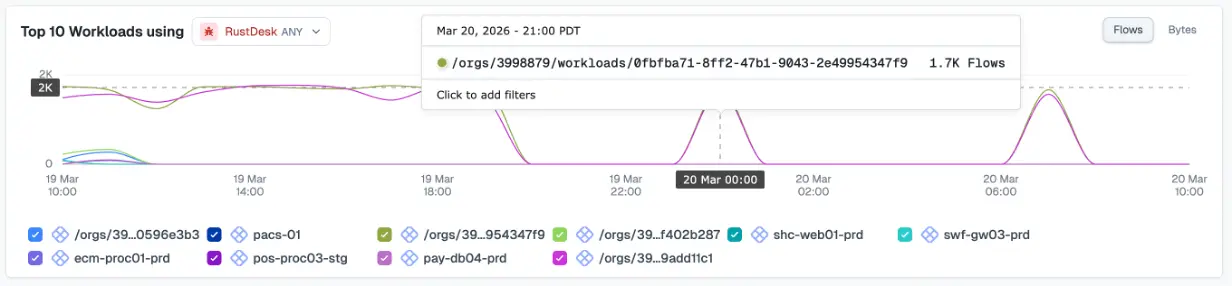
To get started, go to the Risky Services tab. You can quickly understand:
- Which types of workloads are exposed to risky services
- Where usage looks excessive or unexpected
- Whether traffic is being constrained as intended
The outcome isn’t just identifying potential risk but gaining evidence‑based confidence in your segmentation and enforcement strategy. You can finally validate your design decisions beyond simply seeing your network traffic.
3. Determine whether suspicious activity is actually data exfiltration
Few scenarios raise urgency like the possibility of a data heist. But without context, it’s easy to overreact — or worse, miss the signal entirely.
Illumio Insights helps teams approach this question analytically. By navigating to the External Data Transfer tab, it’s easy to get answers to precise questions such as:
- Where is data leaving the environment?
- Which internal sources are responsible for the largest outbound volumes?
- Do the destinations raise concern?
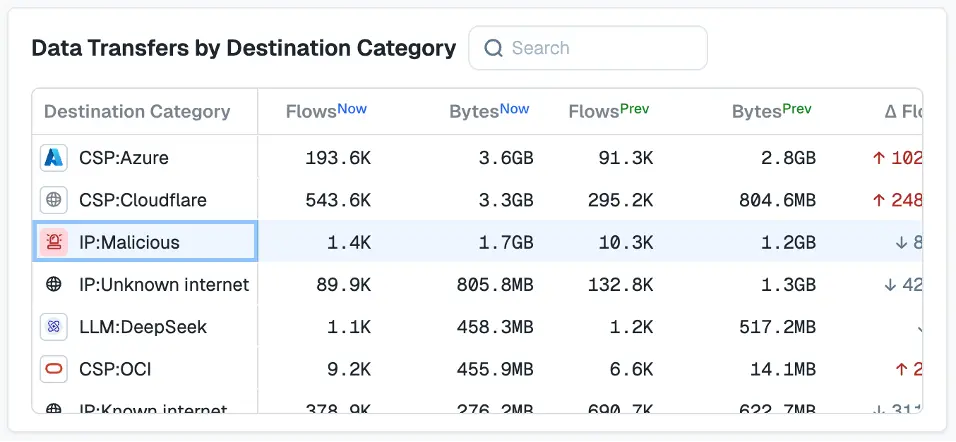
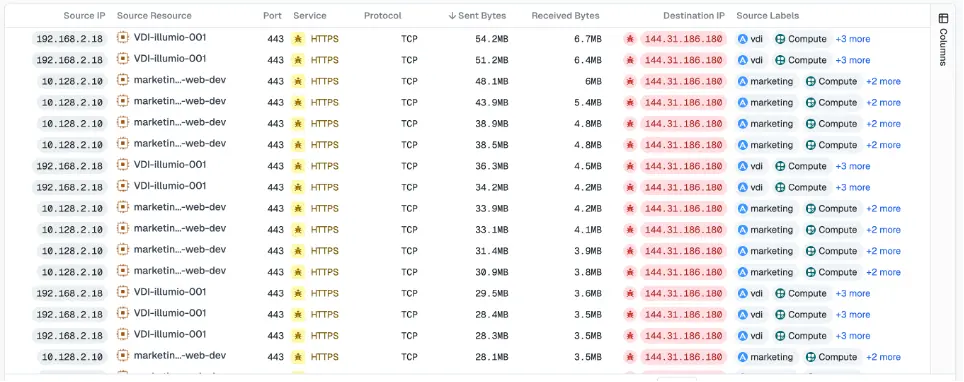
By correlating outbound traffic patterns with destination risk and geography, Insights helps you distinguish between legitimate external communication and behavior that suggests data staging or exfiltration.
Just as importantly, it provides time‑bound context, so you can understand whether this is a one‑off spike or an ongoing pattern.
With Insights, you can make calm, informed decisions during high‑pressure moments.
4. Understand how LLMs are actually being used
As many companies have quickly learned, AI adoption rarely follows formal approval processes. By the time policies are written, usage is already happening, often in places security teams can’t easily see.
Illumio Insights gives you a way to ground AI governance in reality by revealing how LLMs are actually being used across your environment in the Shadow LLMs tab.
Rather than starting with enforcement, you start with visibility. You can see which models are in use, which users or workloads are interacting with them, and how much data is being shared. You can also go a layer deeper to determine exactly which traffic flows look particularly risky or unfamiliar.
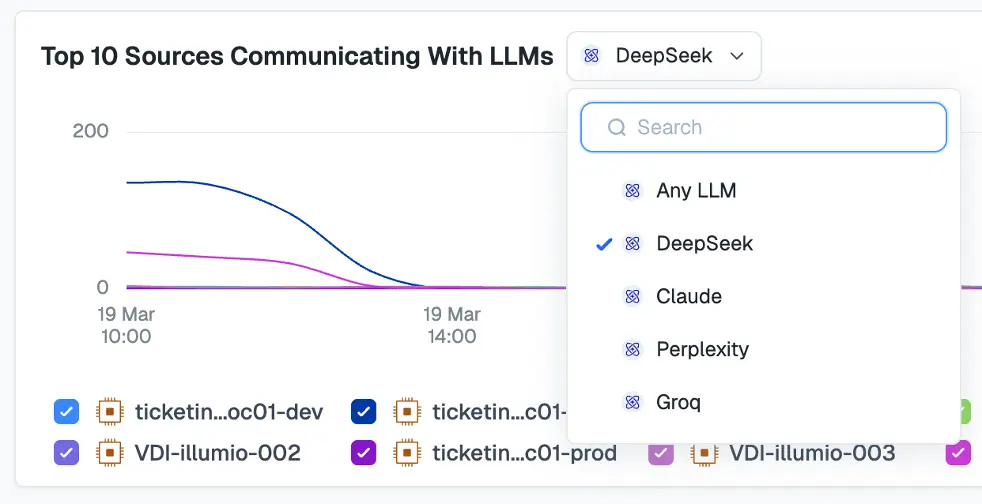
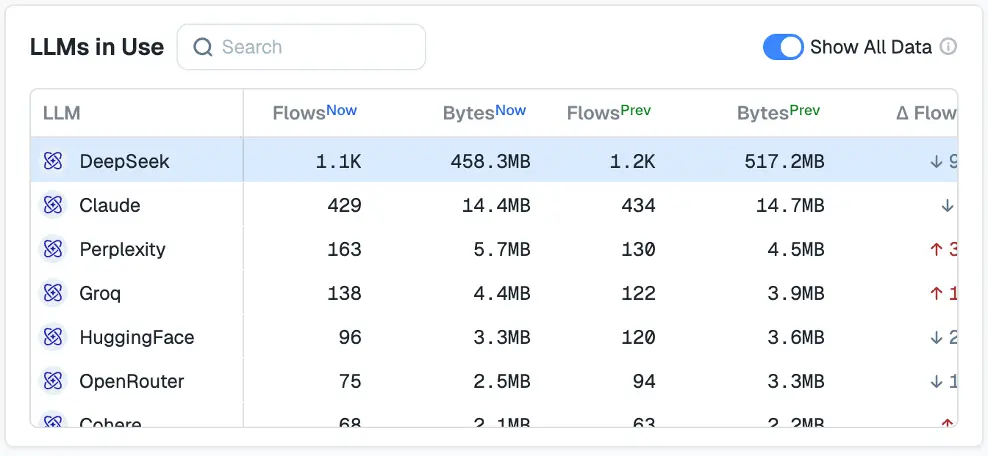
This makes it easier to separate sanctioned AI experimentation from shadow usage, and routine interactions from potentially risky behavior.
Security teams don’t want to block AI adoption. But they do need to establish a factual baseline about AI in their network that can inform policy, guardrails, and future controls.
Turn exploration into action with Illumio Insights
The Illumio Insights free trial is most powerful when it’s treated as an investigation instead of just a tour.
Each of these exercises helps new users move from curiosity to clarity, whether that means understanding a real threat, validating existing controls, or uncovering emerging risks like unsanctioned AI usage.
See how quickly Insights can help you ask better questions and get answers you can trust.
Start your Illumio Insights free trial today.